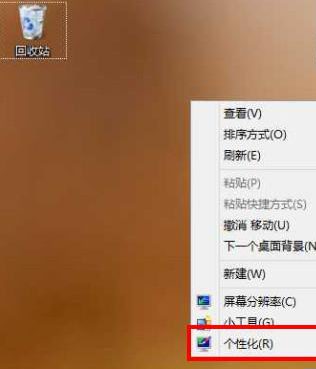
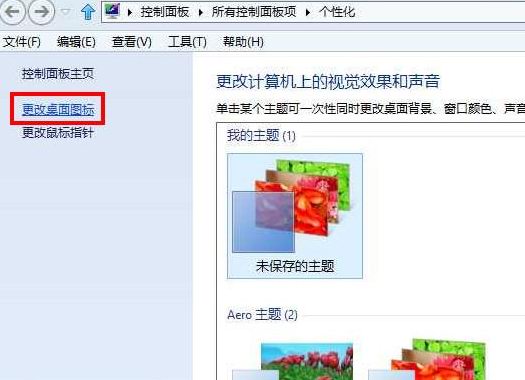
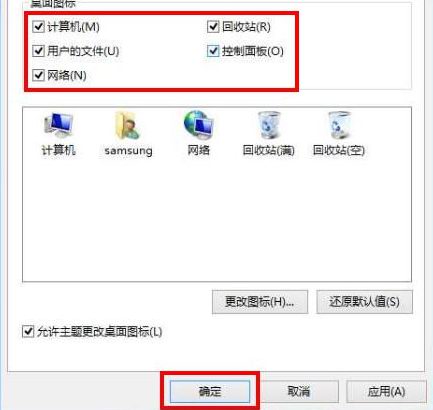
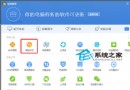
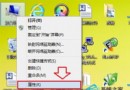
重裝 Windows 8 後桌面只剩回收站圖示,電腦、網路、控制台、使用者檔案等圖示消失。只需在桌面個人化設定中勾選即可恢復。
此為 Windows 8 預設行為,非錯誤,勾選後即時生效。
Win 8.1 開始按鈕回歸但無開始選單:用戶失望、微軟沉默、第三方工具趁機搶灘
Win8 更新 Firefox 後 IE 無法開啟?重置 Winsock 目錄解決
Win8.1 快速切換使用者帳號:Shift + 右鍵捷徑 → 以其他使用者身分執行
Windows 8 系統下關閉 SSD 硬碟索引服務完整步驟(含圖解)
Win8 RP 預覽版當機解決方案 啟用 Hyper-V 讓系統以虛擬化模式運行
Windows 8 找控制台五大法:Win+X、電腦設定、所有應用、桌面右鍵、搜尋
Win8 查看印表機屬性:控制台「裝置和印表機」右鍵印表機選擇屬性
Win8.1 行動硬碟 USB 3.0 讀不到?補裝原廠驅動 + 掃描更新