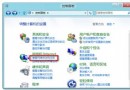
Windows 8 Release Preview 偶發當機,若未安裝 VMware/VirtualBox 且 BIOS 已開啟 VT-x,可啟用 Hyper-V 功能讓系統以基本虛擬化模式運行,直接存取硬體但增加穩定性。
限制:已安裝 VMware/VirtualBox 的系統啟用 Hyper-V 可能導致原虛擬環境無法使用。此法僅適用 RP 預覽版,正式版較少此問題。
Win8 寬頻連線錯誤 678 遠端無回應:六步驟從 Modem 到客服完整排查
Windows 8 微軟拼音輸入法全形符號輸入困境:Shift+Space 失效、第三方輸入法替代方案
Win8 依修改時間排序資料夾清單:啟用「修改日期」欄位並點擊排序
Win8 右鍵「網路」/「網上鄰居」屬性無反應?重新註冊 netshell/netcfgx/netman DLL 修復網路殼擴展
Windows 8 查看 Windows Update 更新歷史記錄:兩步驟快速掌握已安裝補丁
Win8 滑鼠指標有陰影軌跡怎麼關閉?取消「顯示指標軌跡」選項