Windows 8 透過 Microsoft 帳戶同步 IE 收藏夾、歷史記錄、密碼等瀏覽器資料:
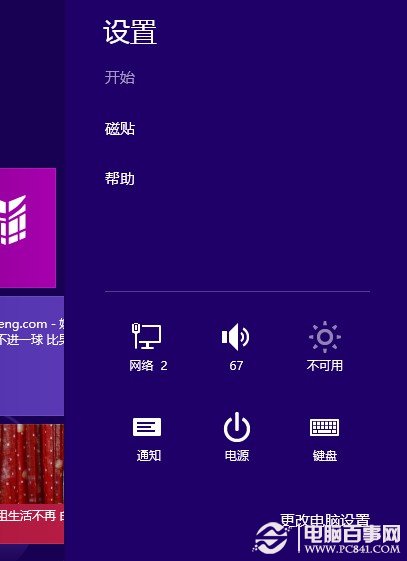
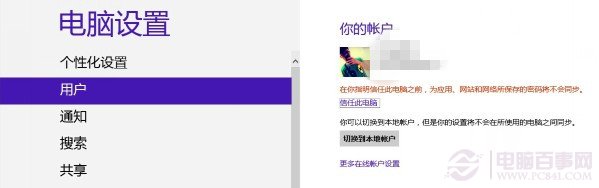
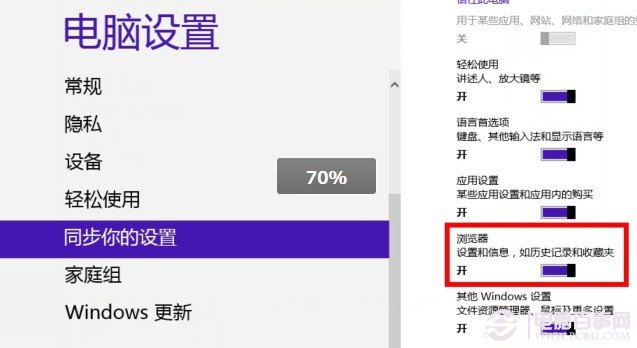
同步完成後,其他同帳戶登入的 Win8 裝置 IE 將自動擁有相同收藏夾與設定。
Windows 8 vs Windows 7 差異大比較:語音控制、觸控、雲端、USB 3.0、反盜版新機制
Windows 8.1 找回網頁與應用程式儲存的密碼:使用憑證管理員
Windows 8 社交應用登出帳號三大法:AppBar、狀態列、設定頁面
如何取得 Win8 開發人員授權:Visual Studio 與 PowerShell 兩種方式
Win8 隱藏功能探索:右下角隱藏開始選單、檔案歷程記錄自動備份
手機無法與 Win 8 建立 Wi-Fi 熱點連線?三大排查步驟解決共享失敗
Win8.1 寬帶撥號錯誤 651 解決:啟用 Remote Access Auto Connection Manager 服務