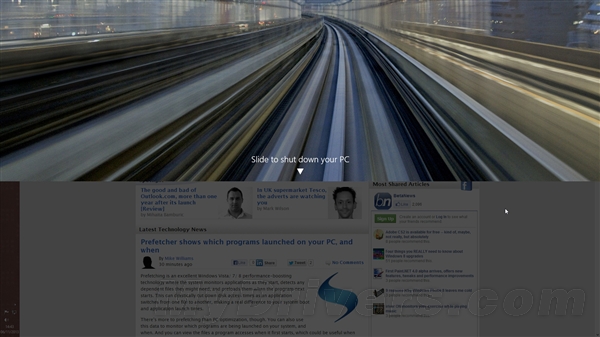
Windows 8.1 除傳統關機方式外,還內建類手機的「滑動關機」功能,預設關閉需手動啟用,並可建立多種快速存取捷徑。
slidetoshutdown.exe
C:\Windows\System32
設定完成後,關機如手機般直覺,特別適合觸控裝置使用。
Win8.1 F12Resources.dll 是病毒嗎?勿刪除!誤刪導致 IE 開發工具空白修復法
Windows 8 採用全新 OA 3.0 激活技術:OEM 預裝授權機制升級詳解
Windows 8 螢幕解析度調整教學:右鍵桌面三步驟完成
Win8.1 企業版升級 Win10 企業版並保留資料的完整教學
Win8.1 任务管理器启动项出现 "Program" 条目?可安全禁用,系统配置工具验证
Win8 防止開始畫面被竄改:啟用群組原則鎖定磁磚佈局
Win 8 內建 Bing 搜尋應用基本操作與啟動方式
Win8.1 藍牙可配對但無法收發檔案?開啟「接收檔案」功能教學