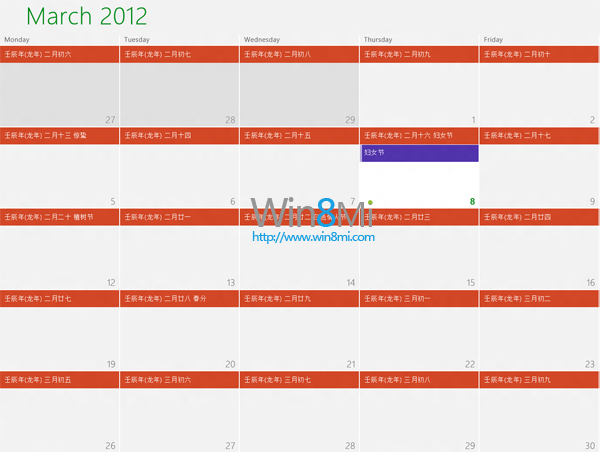
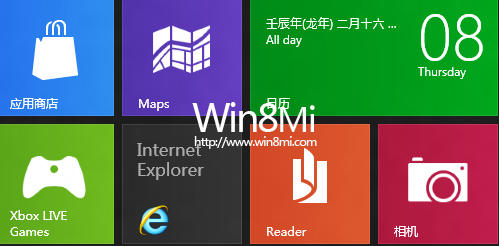
Windows 8 內建現代行事曆應用程式預設僅顯示公曆,透過訂閱 Google Calendar 農曆與 iCal 國定假日 ICS 連結,即可在行事曆中同時顯示農曆日期與法定節假日。
設定步驟
- 開啟瀏覽器登入 https://login.live.com/(Microsoft 帳號)。
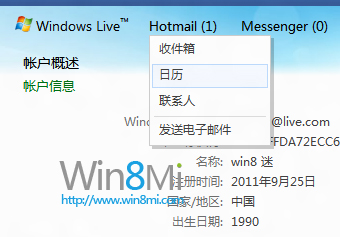
- 進入 Outlook.com / Hotmail → 選擇「行事曆」 → 點選「訂閱」。
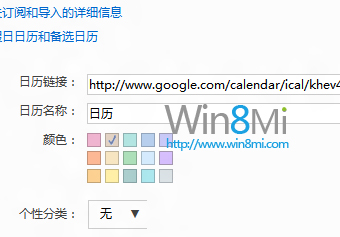
- 新增農曆:行事曆網址輸入
www.google.com/calendar/ical/khev4hvo95dho74k3km1joavc0%40group.calendar.google.com/public/basic.ics
- 新增國定假日:行事曆網址輸入
ical.mac.com/ical/China32Public32Holidays.ics
- 儲存後返回 Windows 8 現代行事曆應用程式,稍待同步即可看到農曆日期與節假日標示。
補充說明
- Google 農曆 ICS 由網友維護,若失效可自行搜尋最新公開 ICS 連結。
- iCal 國定假日來源為 Apple 公開行事曆,涵蓋中國大陸法定節假日。
- 同步頻率約每小時一次,亦可在 Outlook.com 手動重新整理。
- Windows 10/11 內建行事曆已支援直接啟用農曆與假日,無需手動訂閱。