C 槽空間莫名縮小,除暫存檔外,Windows Update 快取、虛擬記憶體、系統還原點佔據大量空間。建議用系統原生工具清理,避免第三方優化軟體誤刪系統檔。
四大清理招式
- 清除 Windows Update 快取:
管理員權限 CMD 執行:
net stop WuAuServ
RD /s %windir%\SoftwareDistribution
net start WuAuServ
- 磁碟清理:
右鍵 C 槽 → 內容 → 「磁碟清理」 → 勾選「暫存檔」、「回收站」、「系統檔案」等 → 確定。
- 移動虛擬記憶體:
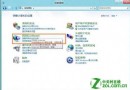
控制台 → 系統 → 進階系統設定 → 進階 → 效能設定 → 進階 → 虛擬記憶體變更 → 取消 C 槽分頁檔 → 於較大磁碟設定自訂大小(建議 4096 MB)。
- 縮減系統還原空間:
同進階系統設定 → 系統保護 → 設定 → 拉動滑桿調整最大使用量(建議 5-10%)。
額外建議
- 關閉休眠(
powercfg -h off)可省下等同記憶體大小的空間。
- 軟體安裝路徑盡量導向非 C 槽。