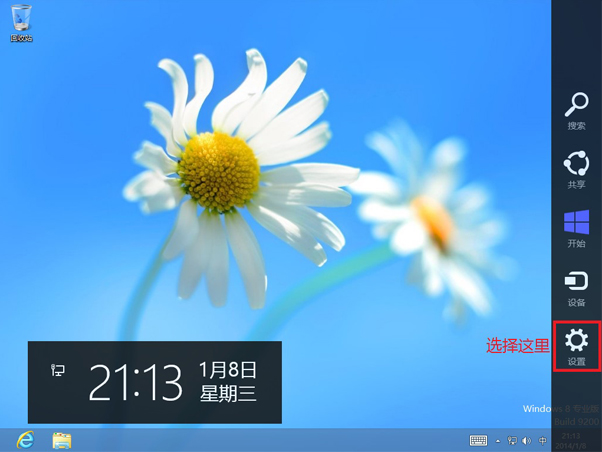
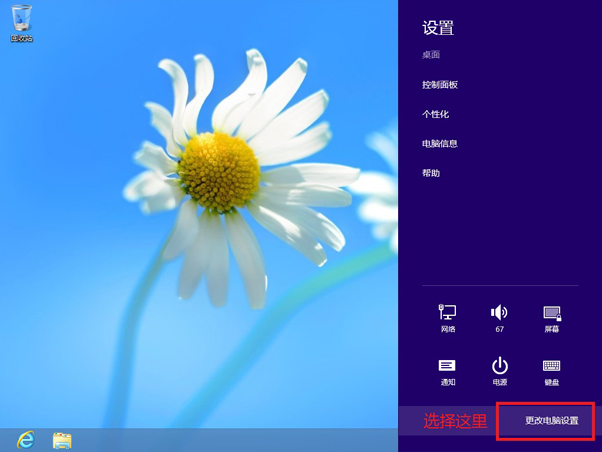
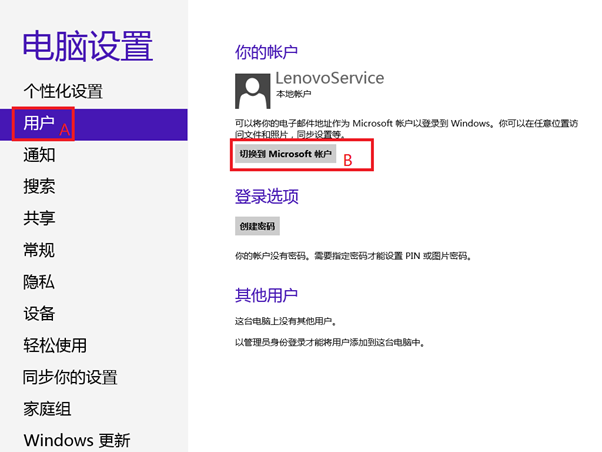
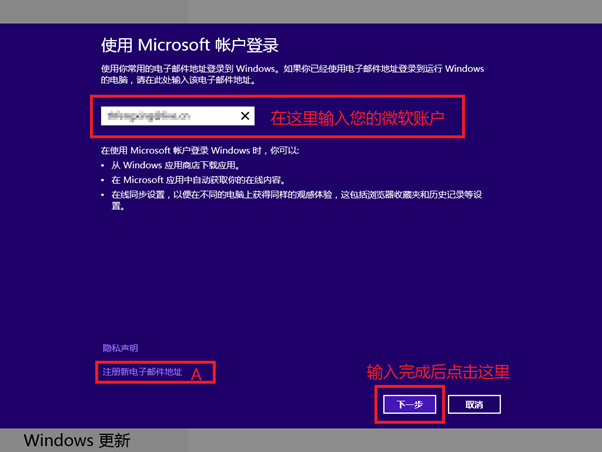
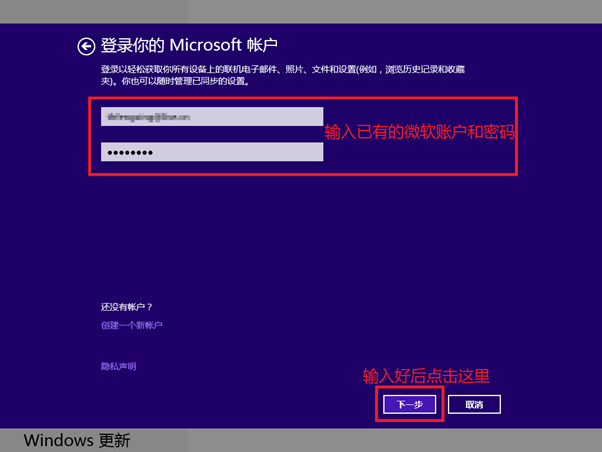
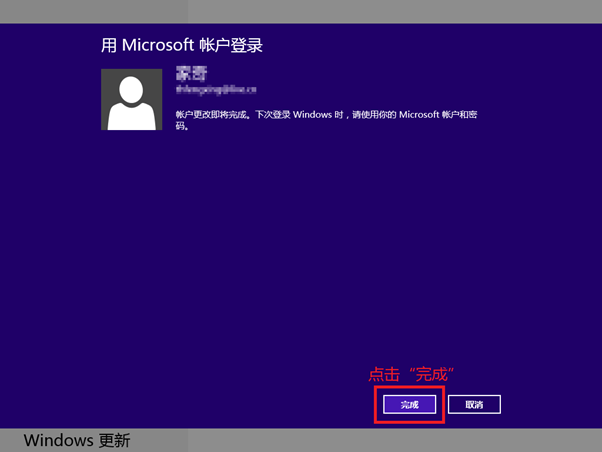
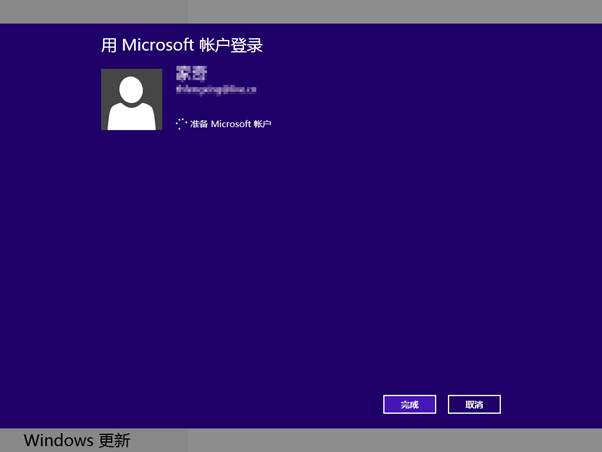
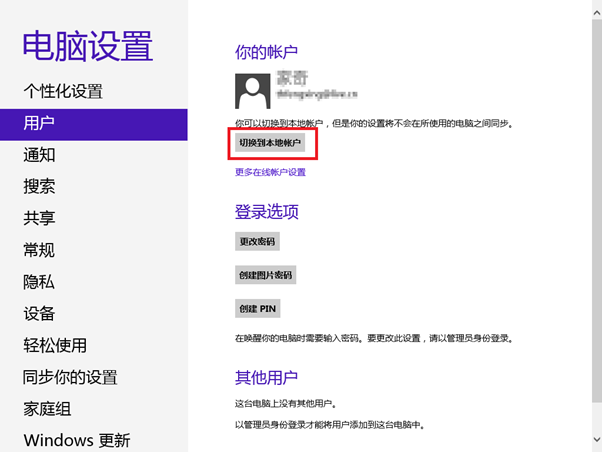
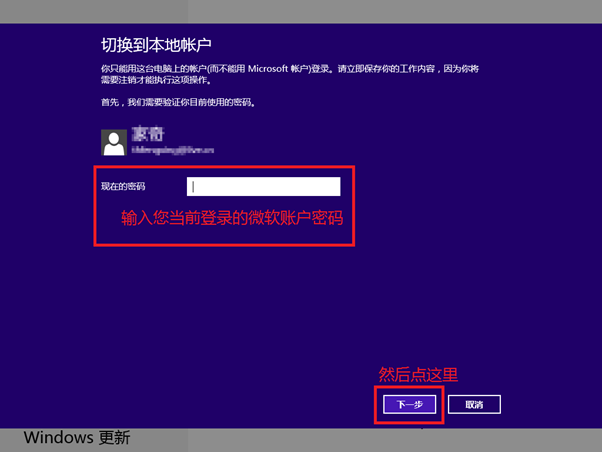
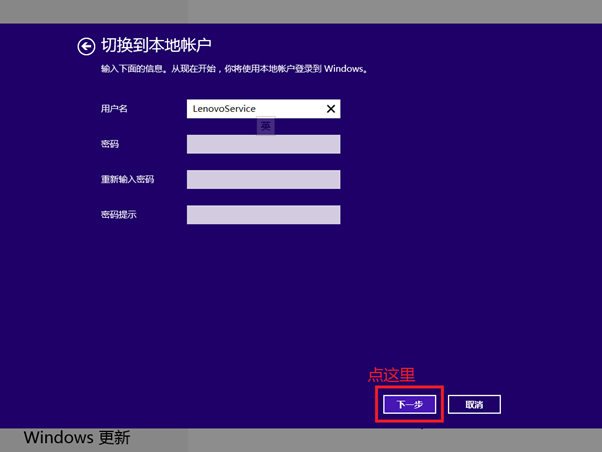
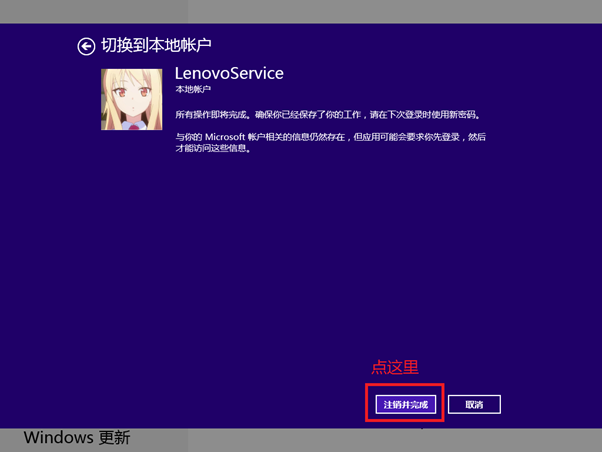
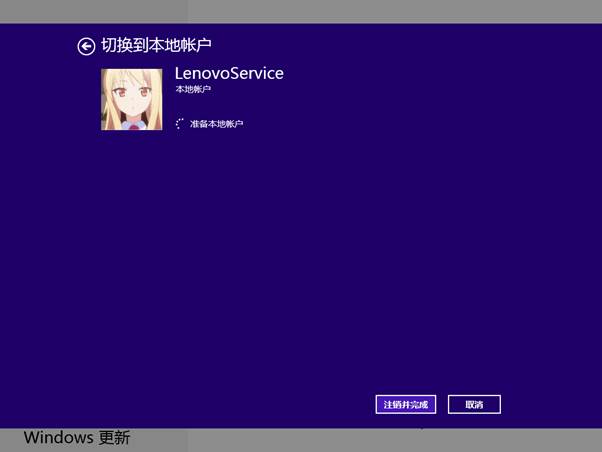
本文為 Windows 8 帳戶類型切換的完整圖文教學,涵蓋本地→Microsoft 及 Microsoft→本地雙向操作,步驟與 82161 同,圖片更豐富,適合視覺導向學習者。
⚠ 切換後開機需輸入 Microsoft 帳戶密碼。
⚠ 切回後開機需輸入本地帳戶密碼。
兩版教學內容一致,本版圖片更詳細,按需選閱。
Win8 沒有開始選單如何關機?七種關機方法圖文教學
Win8 硬碟讀寫頻率過高?停用 HomeGroup 服務降低磁碟負載
Win8 開機 CPU 高佔用、硬碟燈狂閃的解決方案
Windows 8 調整螢幕顯示方向:桌面右鍵螢幕解析度、方向下拉選單、確認保留變更
Windows 8 敘述器啟用四種方法:輔助功能朗讀螢幕內容
Windows 8 桌面圖示客製化:打造專屬個人風格
Windows 8.1 Preview 安裝失敗:變更 DNS 解決下載/驗證問題
Win8 使用天氣應用:開始畫面磚點擊新增城市、查看當日與未來兩天預報