現象:首次撥號 651,二次成功。
可能原因:相關服務未啟動或 Modem 相容性。
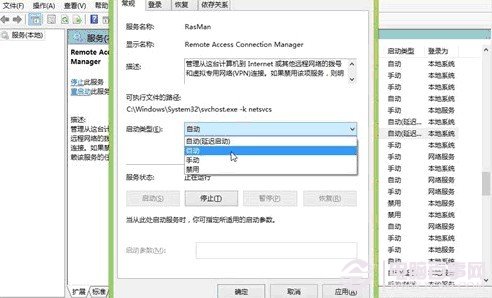
解決:Win+R → services.msc → 啟用並設為自動:Telephony、Remote Access Connection Manager、Remote Access Auto Connection Manager。無效則建議用路由器或換 Modem。
解決:下載微軟官方修復工具(英文版但通用),或 Win+R → wsreset.exe 清除快取。
解決:管理員 CMD 依序執行:
netsh winsock reset → netsh → winhttp → import proxy source=ie → 重開機。
原因:網路中斷導致下載不完整。
解決:執行官方修復工具後重開機。
原因:需從 Windows Update 下載檔案,網路/Proxy/防火牆阻擋。
解決:下載離線安裝包安裝。
解決:Win+R → services.msc → 確認 Background Intelligent Transfer Service、Cryptographic Services、Software Protection、Windows Update 均啟動且設為自動。
或改 DNS:4.2.2.1 / 4.2.2.2。
或管理員 CMD:net stop wuauserv → 重命名 C:\Windows\SoftwareDistribution → net start wuauserv。