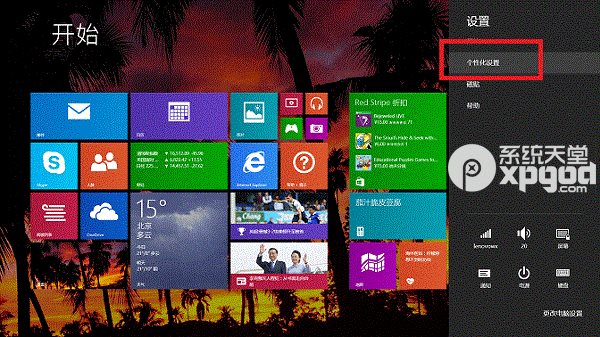
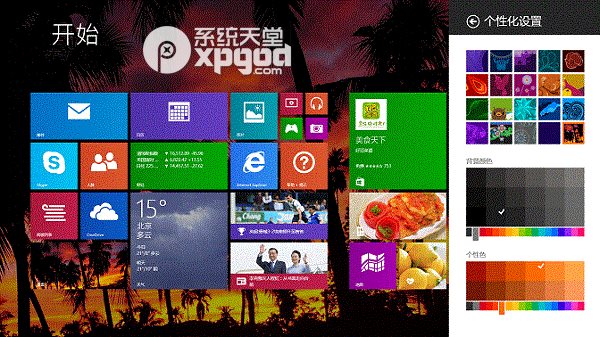
Windows 8 開始畫面磁貼背景支援更換內建圖片與主題顏色,操作路徑為超級按鈕→設定→個人化。
簡單三步驟,打造專屬開始畫面風格。
Windows 8 安裝後如何調整為 UEFI 啟動模式
Win8 Metro 版 QQ 如何登出?AppBar 與 Charms 登出法
Windows 8 重置 IE 設定圖文教學:Internet 選項進階索引標籤一鍵還原預設值
透過命令列建立 Win8 Windows To Go 工作區(USB 完整系統)
Win8 設定自動設定指令碼(PAC)方法
Windows 8 找回美式鍵盤佈局與附加時鐘多時區顯示設定
Windows 8 開啟命令提示字元三大法:搜尋、執行、Win+X 選單 (含管理員模式)
Windows 8 應用商店安裝錯誤 0x80070585 解決方法