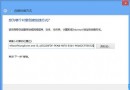
長時間面對螢幕易疲勞,將系統視窗背景改為護眼綠:
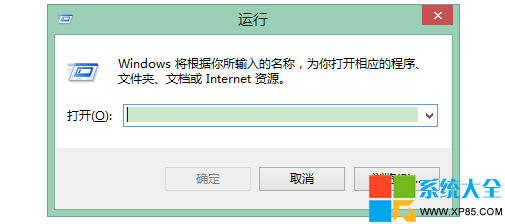
regedit
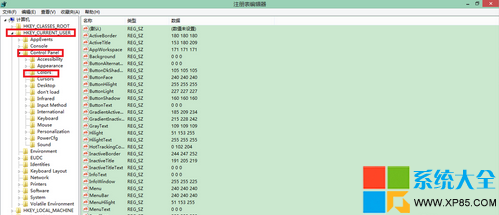
HKEY_CURRENT_USER\Control Panel\Colors
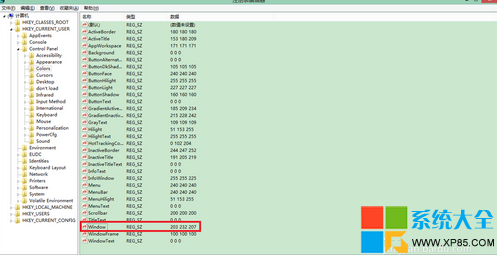
Window
204 232 207
或安裝「護眼衛士」等軟體一鍵設定。
Win8.1 無法連 WiFi / WiFi 掉線?啟用 FIPS 相容性一招解決
聯想支援 Windows 8.1 系統的機型查詢
Windows 8.1 相容性測試:下載工具、網路優化、系統維護與學習軟體完整報告
Windows 8.1 開啟遠端桌面連線的三種方法
Win8 酷軟推薦:鎖畫面便利貼 TuneUp IncrediLock
Windows 8 重置、還原、系統還原三大功能差異與操作完整指南
Windows 8 應用商店無法開啟?netsh/winhttp/import proxy 三指令修復網路設定
Windows 8 修改 IP 位址教學:靜態 IP 設定步驟圖解