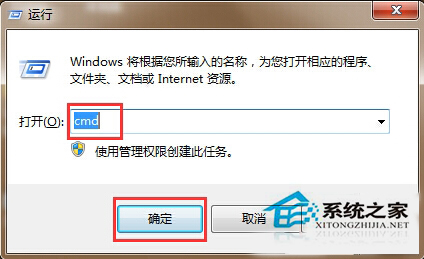
瀏覽器顯示錯誤代碼 118(無法連線至網站),通常是 DNS 快取汙染或 TCP/IP 協定堆疊異常。
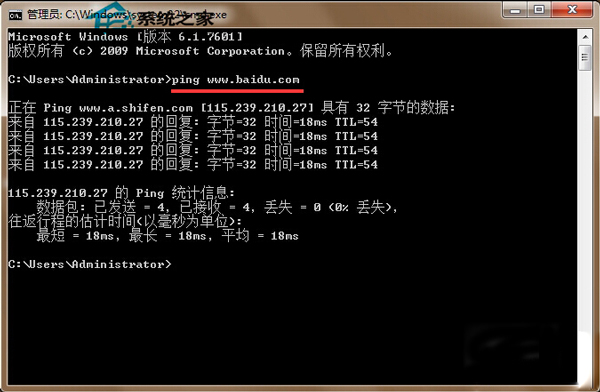
ping www.baidu.com
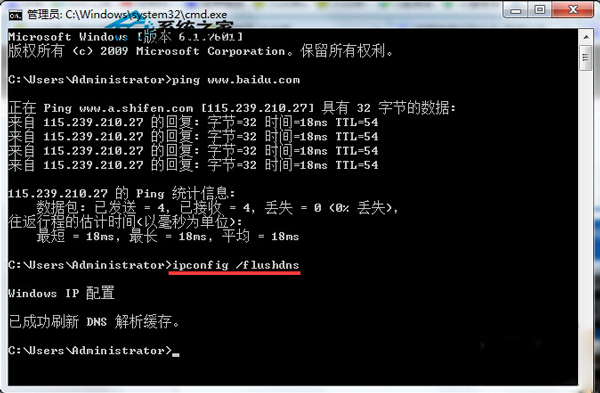
ipconfig /flushdns
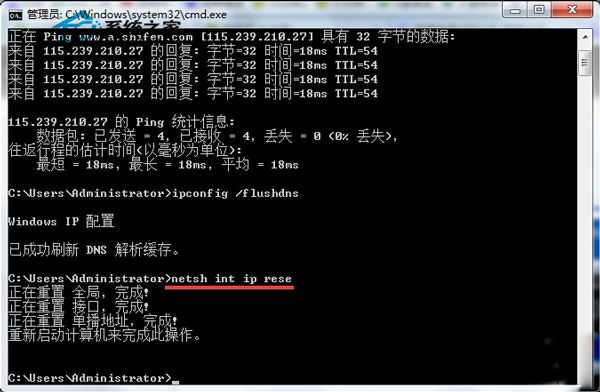
netsh int ip reset
netsh winsock reset
此四步驟可解決 90% 以上的瀏覽器錯誤 118、網頁無法開啟但 QQ/網遊正常的 DNS/TCP/IP 異常問題。
Win8.1 手動檢查 Windows Update 避免自動更新卡頓
Windows 8 個人化設定:鎖定畫面、開始畫面、帳號圖片
預裝 Win8 筆電無法安裝 Win7?BIOS 關閉 Secure Boot 與 UEFI/Legacy 設定
Windows 8 開始畫面自訂技巧:磚群組命名、移動、應用程式釘選與解除安裝
Windows Server 2003 卷影副本服務:輕鬆實現網絡共享文件還原
Windows 8 檔案歷程記錄:啟用、備份與還原檔案完整教學
Windows 8 雙系統硬碟分區無法存取?修改 NTFS 權限取得存取權
Win8 IE 瀏覽器新增 Flash 外掛程式 相容性清單修改法