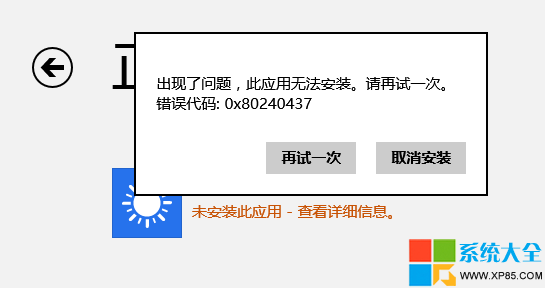
Windows 8 應用商店無法下載、安裝或更新應用,彈出錯誤代碼 0x80240437,多半源於 Windows Update 元件異常。透過重置軟體發佈目錄可快速修復。
0x80240437
操作步驟:
services.msc
C:\Windows\SoftwareDistribution
SoftwareDistributionOld
此法同樣適用於修復 Windows Update 本身的更新失敗問題。
Sony 筆電裝 Win8 後不穩定?用 VAIO Care 系統還原解決
Win8 Modern 版 IE11 開啟 InPrivate 無痕分頁,保護瀏覽隱私不留痕跡
Windows 8 磁碟清理與最佳化完整操作:碎片整理、釋放空間、排程自動維護
Win8 滑鼠操作全新體驗:邊緣手勢、熱區、Charms 列、標題列拖曳關閉視窗
Win8 搜尋列表怎麼固定常用應用?一招搞定
Windows 8 攝影機在哪裡?兩種開啟內建相機應用的方法
Windows 8 安裝 .NET Framework 3.5 無回應/下載緩慢解決法:DISM 離線安裝
Win8.1 移除家庭群組功能完整步驟(重複內容整理版)