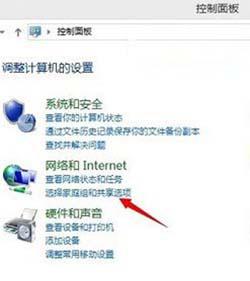
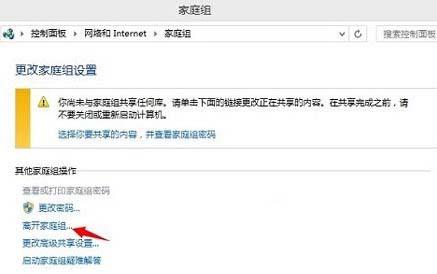
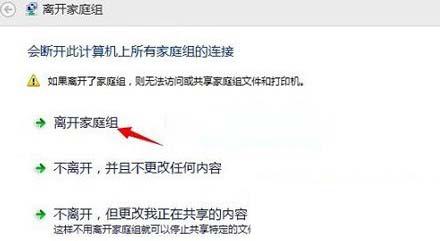
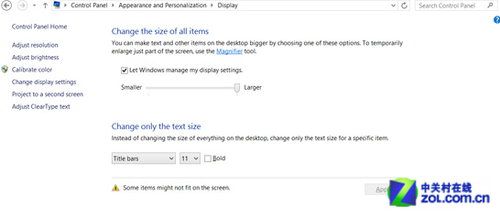
Windows 8.1 家庭群組功能若不使用,可透過控制台徹底離開以釋放資源。操作步驟如下:
離開後將不再共享文件庫與媒體串流,相關網路服務停止運作。
Win8 開機自動掃描磁碟怎麼關閉?註冊表清除 BootExecute 值
Clover 為 Windows 8 檔案總管加入多標籤功能:安裝、鎖定、快捷存取、Aero Shake 相容
Win8.1 64位禁用驅動程式強制簽章:一次性 F7 法 vs 永久 bcdedit 法風險全解析
Windows 8 設定裝載網路(行動熱點)分享有線網路給手機
Win8 更新補丁後黑屏進不了系統?進入安全模式還原系統解決
Windows 8 快速鍵大全:玩轉 Win8 消費者預覽版新熱鍵
Windows 8 修改電源計劃設定完整圖文教學
Windows 8 隱藏功能啟用工具:Windows 8 Tweaker 1.1