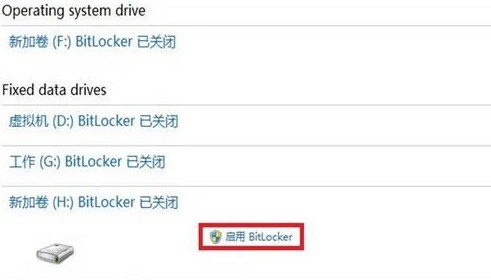
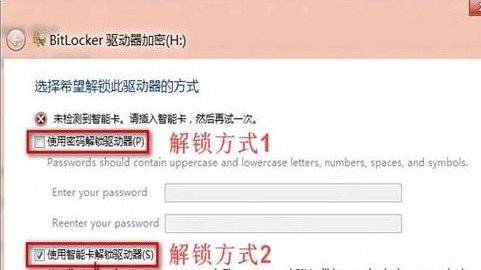
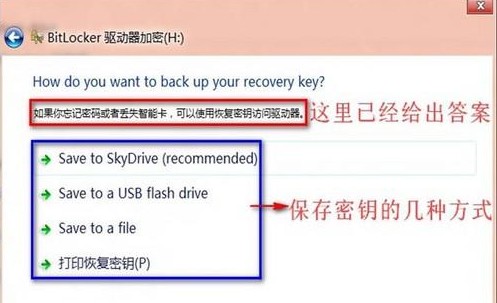
BitLocker 保護作業系統磁碟與固定資料磁碟,檔案僅在加密磁碟中保持加密狀態,複製至其他裝置自動解密。
⚠️ 必須妥善保存復原金鑰,遺失將無法解鎖。
Windows 8 桌面新增「計算機」圖示:個人化設定 → 桌面圖示勾選教學
Windows Server 2008 安全性能分析:IE 增強安全性、UAC、防火牆與防毒軟體建議
升級Win8.1提示「無法更新系統保留分區」 官方恢復解決方案
Win8.1 系統映像備份完成後如何還原?進階啟動選單執行映像還原
Win8.1 刪除使用者大頭照與縮圖紀錄 完整清理教學
Win8 任務列日期顯示格式修改:顯示完整日期與星期幾
Windows 8.1 啟用滑動關機功能完整教學(含捷徑建立)
Win8.1 無法安裝 KB2904440 提示「不適用您的電腦」:語言/位元版本不符或更新不適用