安全性中心服務無法啟動常因第三方安全軟體優化功能誤關閉相依服務。提供三種修復方案。
方案一:確認服務設定與相依服務
- Win+R →
services.msc → 找到 Security Center → 雙擊 → 啟動類型「自動」→「啟動」。
- 若啟動失敗,同樣啟用 Remote Procedure Call (RPC) 與 Windows Management Instrumentation 兩項相依服務後重試。
方案二:暫時停用/解除安裝第三方安全軟體
- 停用防毒軟體與第三方防火牆(如金山毒霸、360、優化大師)→ 重試啟動 Security Center。
- 若仍失效,暫時解除安裝防毒軟體 → 重試。
方案三:乾淨啟動排查衝突程式
- 安全模式啟動 → 按方案一測試。若安全模式正常,進行乾淨啟動。
- Win+R →
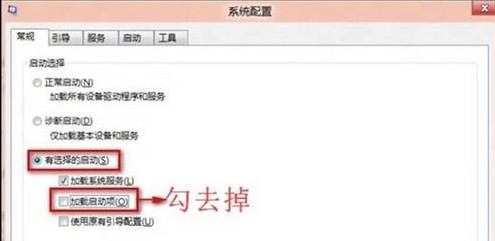
msconfig →「一般」→「選擇性啟動」→ 取消勾選「載入啟動項目」。
- 「服務」索引標籤 → 勾選「隱藏所有 Microsoft 服務」→「全部停用」。
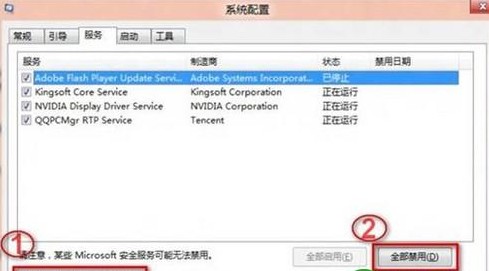
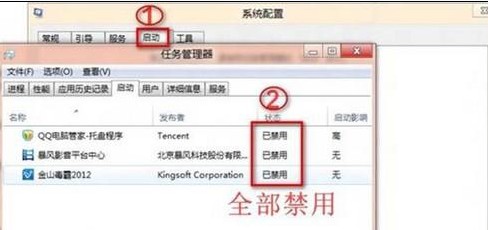
- 「啟動」索引標籤 →「全部停用」→「確定」→ 重新開機。