Windows 8 無法透過登錄檔調整 Scaling 值,需使用顯示卡廠商控制面板設定縮放。以 AMD Catalyst Control Center 為例:
操作步驟
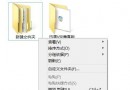
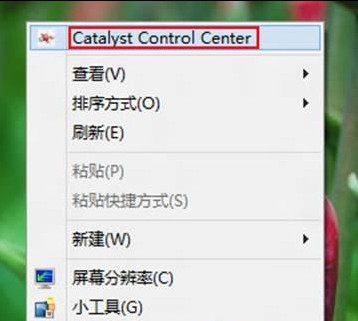
- 桌面空白處右鍵 →「Catalyst Control Center」。
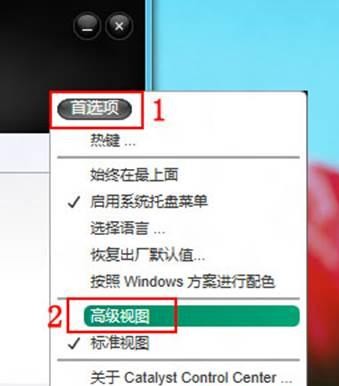
- 右上角「偏好設定」→「進階檢視」。
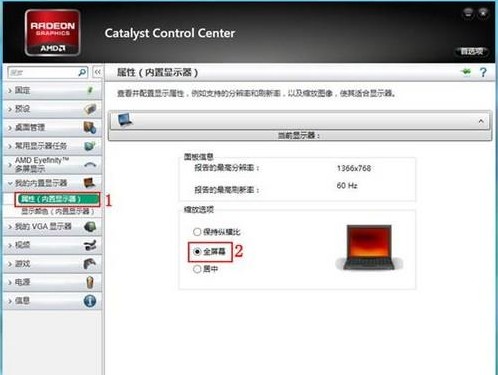
- 左側選單「我的內建顯示器」→「內容(內建顯示器)」→ 右側選擇縮放選項(如「全螢幕」,預設為「保持長寬比」)→「套用」。
注意事項
- 若縮放選項為灰色無法設定,請先將解析度調整為非最佳模式 → 設定縮放 → 再改回最佳解析度,設定將保留。
- 不同版本驅動程式介面可能略有差異,請依實際介面操作。
- 實測於 Windows 8 Release Preview 運行《星海爭霸》1.16 成功。