安裝 Office 2013 後 SkyDrive Pro 2013 右鍵選單變灰無法使用。
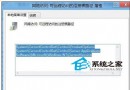
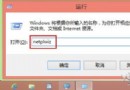
HKEY_CLASSES_ROOT\AllFilesystemObjects\shell\SPFS.ContextMenu → 右側 CommandStateHandler 數值 {573FFD05-2805-47C2-BCE0-5F19512BEB8D} 刪除為空 → 確定 (父選單激活,子選單仍灰)。HKEY_LOCAL_MACHINE\SOFTWARE\Microsoft\Windows\CurrentVersion\Explorer\CommandStore\shell\ 下 SPFS. 開頭 4 個金鑰 → 各自右側 CommandStateHandler 數值刪除為空 → 所有子選單全部激活。完成後右鍵選單 SkyDrive Pro 共享/複製連結等功能全數恢復,操作體驗大幅提升。