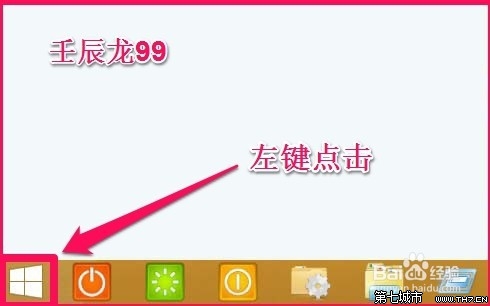
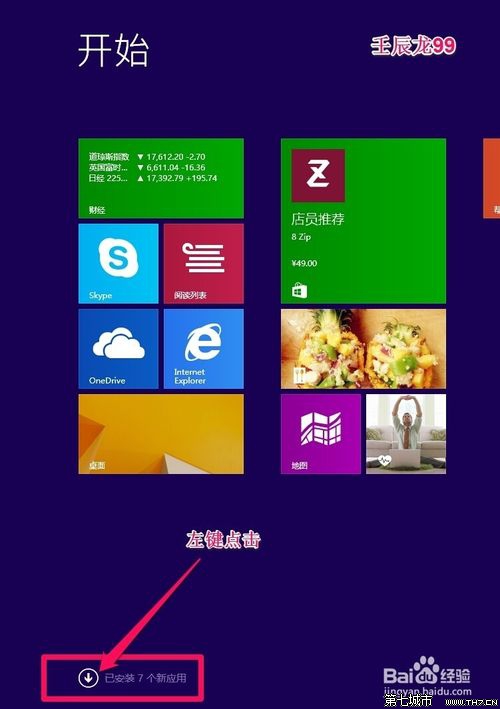
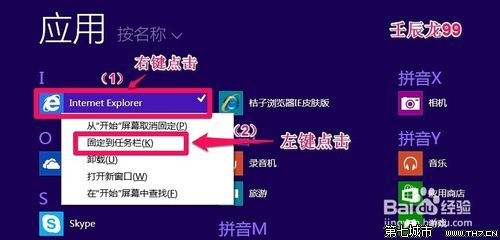
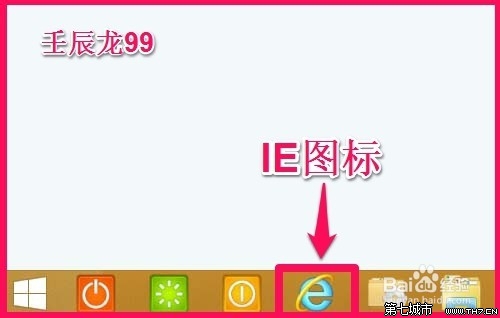
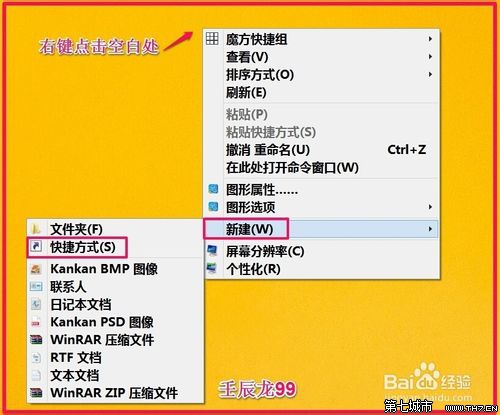
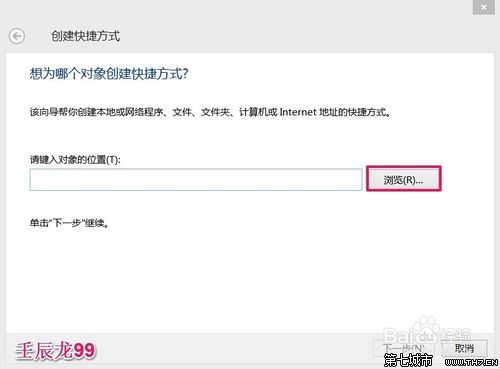
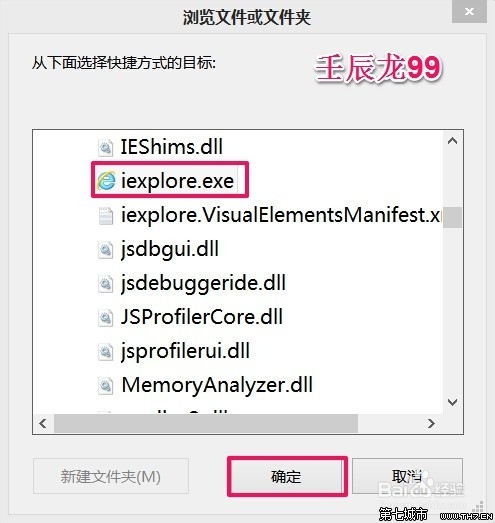
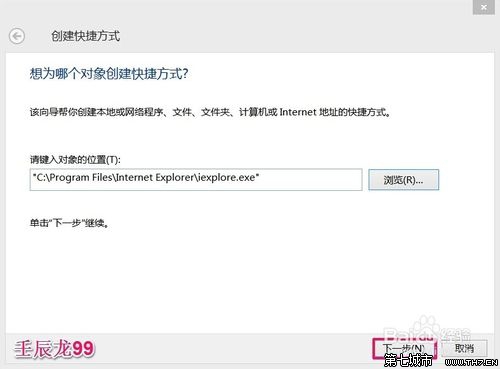
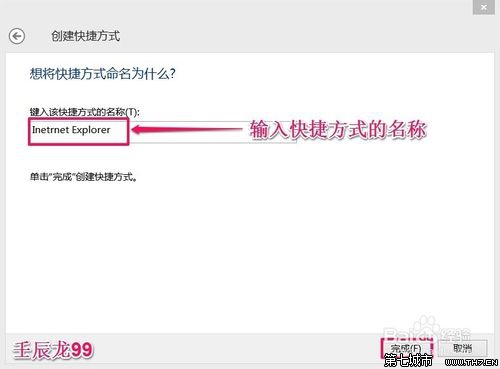
C:\Program Files\Internet Explorer\iexplore.exe
兩法皆可快速恢復 IE 存取入口。
Win8 删除用户账户:计算机管理→本地用户和组→右键删除(不可恢复)
Win8 系統檔案損壞無法自動修復?DISM 與 SFC 離線修復完整指南
Win8 建立工作排程器自動化任務:控制台 → 系統管理工具 → 工作排程器 → 建立基本工作/工作
Win8.1 寬帶撥號開機自動連接?任務計劃程序建立「登入時觸發」執行 rasdial 腳本
Windows 8 開關機極速背後的秘密:混合式關機與系統會話休眠
Win8 右鍵選單新增「傳送到 SkyDrive」 快速備份檔案到雲端
Windows 8 RP 常見問題解答:Metro IE 無法啟動、預設瀏覽器衝突
Windows 8 為不同應用程式視窗自動記憶切換輸入法狀態