想在 Windows 8 桌面環境下快速關機、重開機或登出,卻不想安裝第三方軟體?只需修改登錄檔即可將這些指令加入滑鼠右鍵選單,操作簡單且即時生效。
Windows Registry Editor Version 5.00

[HKEY_CLASSES_ROOT\Directory\Background\shell\Shutdown]
"MUIVerb"="關機"
"Icon"="shell32.dll,27"
"Position"="Top"

[HKEY_CLASSES_ROOT\Directory\Background\shell\Shutdown\command]
@="shutdown.exe -s -t 00"

[HKEY_CLASSES_ROOT\Directory\Background\shell\Restart]
"MUIVerb"="重新開機"
"Icon"="shell32.dll,238"
"Position"="Top"

[HKEY_CLASSES_ROOT\Directory\Background\shell\Restart\command]
@="shutdown.exe -r -t 00"

[HKEY_CLASSES_ROOT\Directory\Background\shell\Logoff]
"MUIVerb"="登出"
"Icon"="shell32.dll,44"
"Position"="Top"

[HKEY_CLASSES_ROOT\Directory\Background\shell\Logoff\command]
@="shutdown.exe -l"
AddQuickPowerMenu.reg(副檔名必須為 .reg)。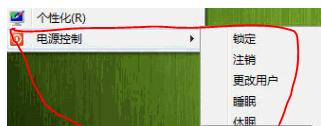
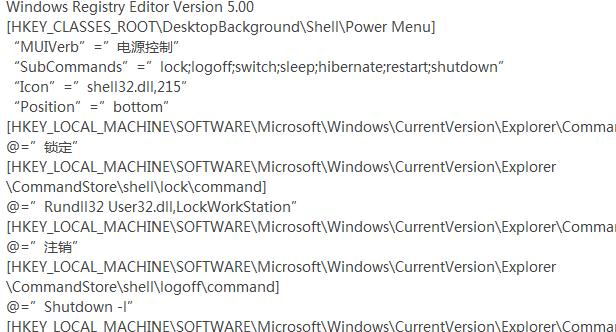
選單項目順序可自行調整登錄檔中的 Position 值或刪除不需要的項目。