Windows 安全性中心服務 (Security Center) 監控防毒、防火牆、更新狀態,若無法啟動顯示錯誤 1068 (相依服務失敗),通常是服務啟動類型被改為手動/停用。
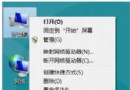
services.msc 開啟服務管理員。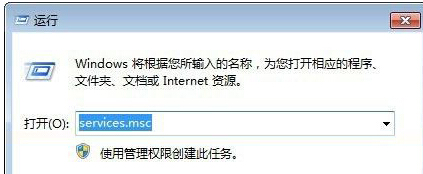
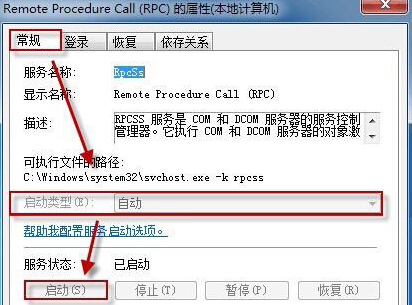
相依服務檢查: Security Center 相依于 Remote Procedure Call (RPC) 與 Windows Management Instrumentation 服務,若上述服務異常需同步修復。若問題持續,執行 sfc /scannow 修復系統檔案。更多系統服務管理教學,請關注電腦教程專欄,歡迎加入電腦辦公群(189034526)。
Windows 8 設定 RemoteApp 與桌面連線:從 Metro 介面與控制台雙通道操作指南
Windows 8 筆電開啟無線熱點 (虛擬 AP) 完整指令教學:netsh wlan hostednetwork
如何從雙系統移除 Windows 8 消費者預覽版?msconfig 刪除開機項目 + 手動刪除殘留檔案 + 取得資料夾擁有權完整流程
Windows 8.1 C 槽空間暴增?四招深度清理釋放空間
Windows 8 Release Preview 安裝三大法:升級安裝、USB 開機、VHD 虛擬硬碟雙系統