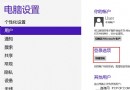
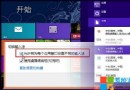
Win8 開機進入 Metro 介面後,瀏覽器自動開啟載入 MSN/預設首頁,主因是「網路連線狀態指示器」 (NCSI) 偵測網路觸發瀏覽器開啟登入頁。修改登錄關閉主動探測即可停用。
regedit。HKEY_LOCAL_MACHINE\SYSTEM\CurrentControlSet\Services\NlaSvc\Parameters\Internet。1 改為 0。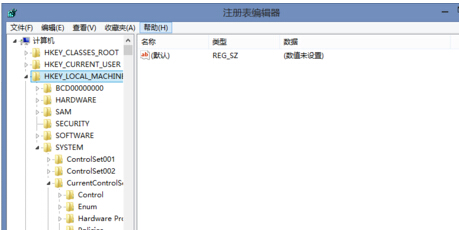
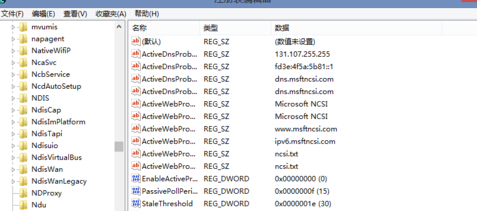
副作用提醒:關閉後,網路圖示可能不再顯示「網際網路存取」狀態,且某些需網路驗證的公共 Wi-Fi (機場、咖啡廳) 可能無法自動彈出登入頁,需手動開啟瀏覽器觸發。若介意請改回 1。
更多網路與開機行為調校教學,請關注電腦教程專欄,歡迎加入電腦辦公群(189034526)。
Windows 8 進入安全模式三大法:msconfig 設定、Shift+F8 快速鍵、多重開機選單
Windows 8 設定無線網路共享 (虛擬 AP 熱點) 完整教學:netsh 指令建立託管網路、ICS 共用、批次檔自動啟動 (重複 84054)
Win8 任務列新增「程式」工具列模擬開始選單:免裝第三方軟體
微軟官方盤點 Windows 8 五大核心優勢與 13 項關鍵特性
Win8/8.1 離線安裝 .NET Framework 3.5 完整指令教學 (以 RP8000 為例)
Windows 8 建立圖片密碼與 PIN 碼:觸控裝置專屬登入方式
Win8 常見問題八大 Q&A:關閉觸控視窗、找回我的電腦、進入安全模式、Metro 應用位置、查看已裝應用、圖示變少、關機鍵位置、命令提示字元