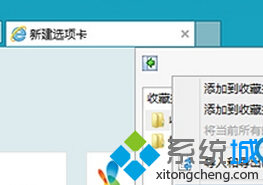
若已登入 Microsoft 帳戶並啟用同步,收藏夾將自動同步至其他 Win8/10/11 裝置及 Edge 瀏覽器 (需同步設定開啟)。
Win8 百度雲離線下載教學(BT 種子/磁力連結)
Windows 8 內建系統映像備份完整教學
Win 8 如何查看已連接 Wi-Fi 密碼?圖文步驟教學
Windows 8 應用推薦:過年必備好軟體——日曆、訂房、K歌一次滿足
Windows 8 取得資料夾完全控制權限:匯入登錄檔新增右鍵選單一鍵操作
Windows 8 內建安全防護清單:7 大核心機制守護你的電腦
Win8 關閉 Charms 列(超級按鈕)與左上角應用程式切換器教學
Win8 開啟內建計算機兩種方法:所有應用程式與搜尋功能