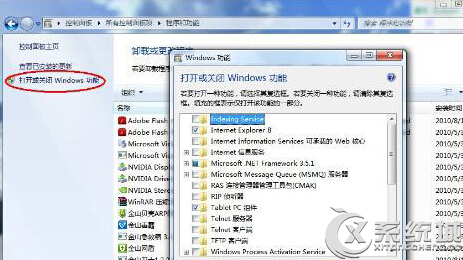
Windows 8 內建遊戲(如撲克、找地雷)可透過「開啟或關閉 Windows 功能」停用,釋放少量資源。
系統將移除內建遊戲元件,若未來需要可重新勾選安裝。
Win8 系統檔案損壞無法自動修復?DISM 指令掃描/修復映像完整教學
Win8.1 設定排程備份完整教學:使用 Windows 7 檔案復原功能定時保護重要資料
Windows 8 磁碟使用率 100% 完整排解方案
Windows 8 IE 設定在新索引標籤開啟網頁與彈出視窗
Windows 8 多螢幕切換:Win+P 快速鍵操作指南
Windows 8.1 洩漏版新發現:應用更新或將整合至 Windows Update
Windows 8 開始屏幕應用管理全攻略
Windows 8 清除檔案總管「常用位置」紀錄:工作列跳躍清單設定