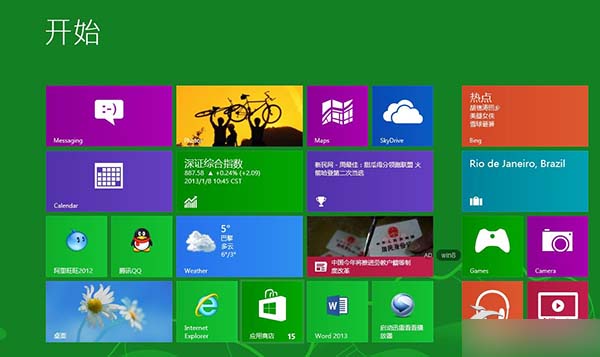
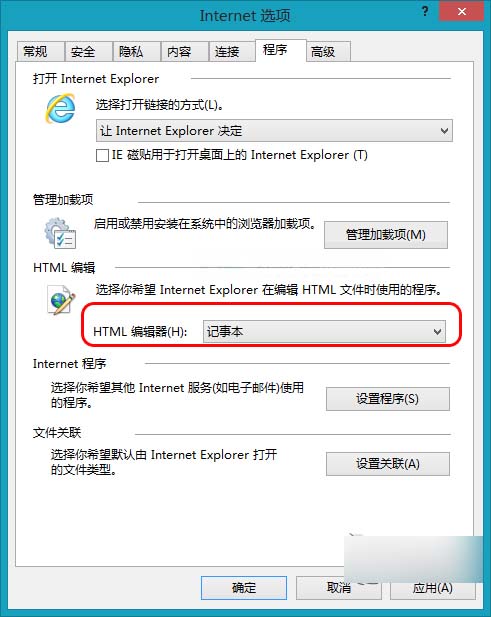
Windows 8 IE 瀏覽器預設 HTML 編輯器可能非記事本,可透過網際網路選項變更為記事本,方便查看網頁原始碼。
設定後,IE 中「檢視原始碼」將直接以記事本開啟。
如何找回 Win8 開始畫面 IE10 圖示?搜尋釘選法與預設瀏覽器關係
Windows 8 隱藏磁碟分區:磁碟管理刪除磁碟代號隱藏隱私資料
Windows 8 安裝新字體完整教學:下載、解壓、匯入三步驟
Windows 8 行動中心同步中心設定:建立同步合作關係、立即同步、裝置重新整理完整操作
Win8.1 離線安裝 .NET Framework 3.5 失敗?掛載 ISO 映像檔指定來源路徑
Win8 玩 CF(穿越火線)初始化失敗?虛擬記憶體、DirectX、執行階段庫三大修復方案
Win8 開機黑屏只剩滑鼠游標?兩招修復顯示驅動/系統還原
Win8 檔案總管功能區快速鍵操作指南:Alt 鍵喚鍵、數字字母直達功能