Windows XP Windows 7 Windows 2003 Windows Vista Windows 綜合教學 Linux 系統教學
Windows 10 Windows 8 Windows 2008 Windows NT Windows Server 電腦軟體教學

Win8 無線網路不穩定三步驟優化:裝置管理員、TCP/IP、路由器設定

編輯:Win8 系統應用技巧

Windows 8 無線網路頻繁斷線、速度不穩,可從用戶端裝置管理員進階屬性、TCP/IP 登錄參數、路由器無線設定三面向優化。

步驟一:無線網卡進階屬性調整

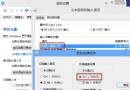
裝置管理員 → 網路介面卡 → 無線網卡右鍵內容 → 進階:

  • IBSS 模式 → 802.11a/b/g/n 自動
  • Xpress(TM) 技術 → 啟用
  • 不相容 40MHz → 停用
  • 優先權與 VLAN → 啟用
  • 最低功耗 → 停用 (防止省電導致斷線)

步驟二:命令列優化 TCP/IP 參數

Win+X → 命令提示字元 (系統管理員)
netsh int tcp set heuristics disabled
netsh int tcp set global autotuninglevel=disabled
netsh int tcp set global rss=enabled
netsh int tcp show global

步驟三:路由器無線設定建議

  • 頻道 → 固定 11 (避開擁擠的自動選頻)。
  • 模式 → 11g only 或 11b/g/n 混合 (視裝置支援)。
  • DHCP 租約時間 → 2880 分鐘 (2 天,減少續租干擾)。
  • 靜態 DHCP 綁定 → 新增本機 MAC 位址對應固定 IPv4 位址。

說明

以上設定針對 Broadcom 晶片組網卡為例,其他晶片 (Intel、Realtek、Atheros) 進階屬性名稱可能不同,請對應調整。若問題持續,建議更新無線網卡驅動程式至最新版。

Copyright © Windows教程網 All Rights Reserved