Win8.1 Update 將開始畫面底部工具列(App Bar)改為右鍵選單,許多用戶不習慣。其實只要在開始畫面按一下 Space(空白鍵),即可暫時喚出傳統 Modern 工具列,支援群組命名、多選管理等功能。
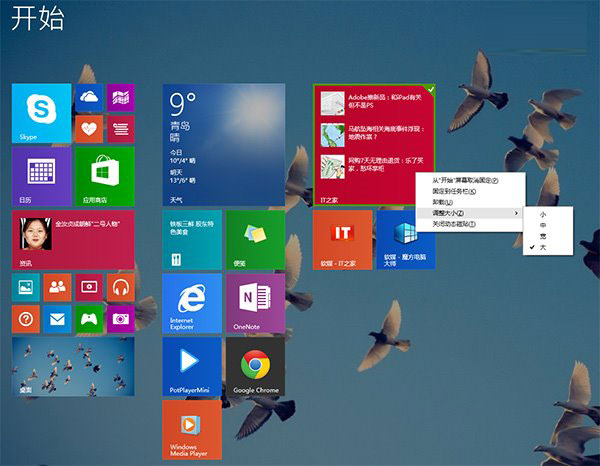
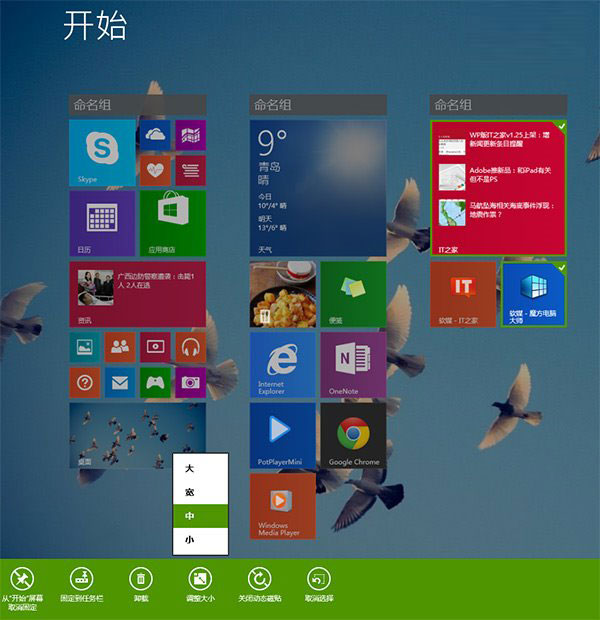
此為暫時性呼叫,離開開始畫面後自動隱藏。若想永久恢復底部工具列,目前無官方設定,僅能透過第三方工具或登錄檔修改(不建議)。
Win8 開機顯示 start pxe over ipv4 怎麼辦?關閉網路喚醒功能徹底解決
Win8 上手指南全系列:開始畫面、搜尋、超級按鈕、桌面、控制台、關機、休眠完整入門
Win8.1 兩進程佔滿磁碟?Windows Modules Installer Worker 與 Problem Reporting 同時狂佔 I/O 解決法
12 個 Windows 預設設定該改了:退格鍵返回、隱藏副檔名、Office 動畫、首頁、鎖定畫面、UAC、錯誤回報、自動重啟、網路優先序、工作列合併、Word 標點轉換、受保護視圖
Win 8.1 WPS 表格資料製作雷達圖完整教學:插入→圖表→雷達圖→美化調整
不格式化保留數據制作 Win8.1 安裝 U盤?修改註冊表禁用 Windows 7 USB DVD Download Tool 格盤功能