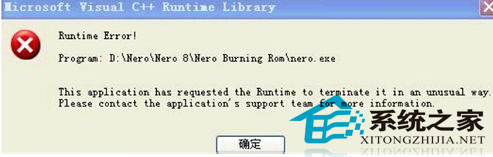
Windows 8 執行特定程式或開啟瀏覽器時,彈出「Runtime Error! This application has requested the Runtime to terminate it in an unusual way...」對話框。這通常是 Visual C++ 執行階段程式庫檔案遺失、損毀或註冊失效導致。透過命令提示字元重新註冊系統核心 DLL 可修復大多數情況。
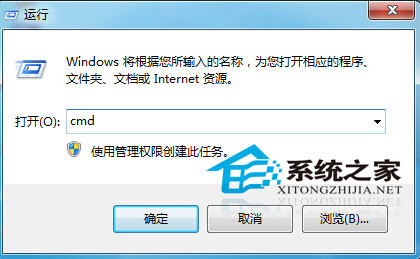
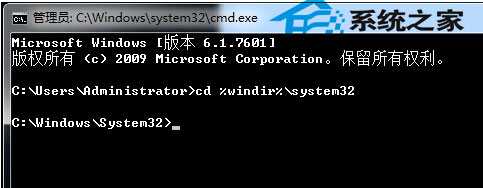
cd %windir%\system32regsvr32 atl.dllregsvr32 jscript.dllregsvr32 vbscript.dllregsvr32 msxml3.dllregsvr32 msxml6.dllregsvr32 actxprxy.dllregsvr32 shdocvw.dllregsvr32 browseui.dllregsvr32 shell32.dllregsvr32 oleaut32.dllregsvr32 ole32.dll
若上述步驟無效,前往 Microsoft 官網下載並安裝以下版本(建議全裝 x86/x64 所有年份):
安裝前建議在「程式和功能」中解除安裝舊版本,再安裝最新版。
Win8「Runtime Error」多為系統層執行階段元件註冊遺失。以系統管理員身分在 system32 目錄批次 regsvr32 核心 DLL,配合重裝 VC++ Redistributable,可徹底修復。若特定程式仍報錯,請重新安裝該程式(修復安裝)。