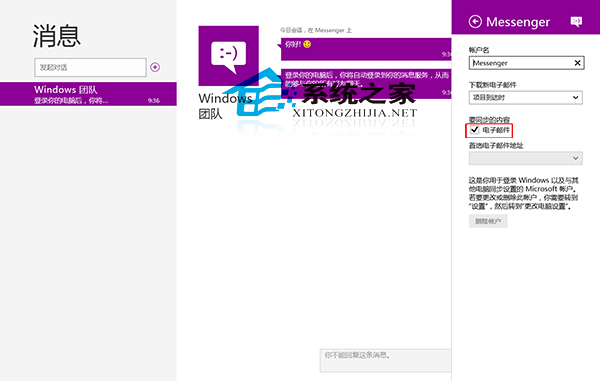
Windows 8 內建 Modern 風格「訊息」應用程式,除即時通訊外可整合電子郵件。透過 Microsoft 帳戶 (MSN/Outlook/Hotmail) 設定同步,即可在訊息應用中收發郵件。
設定步驟
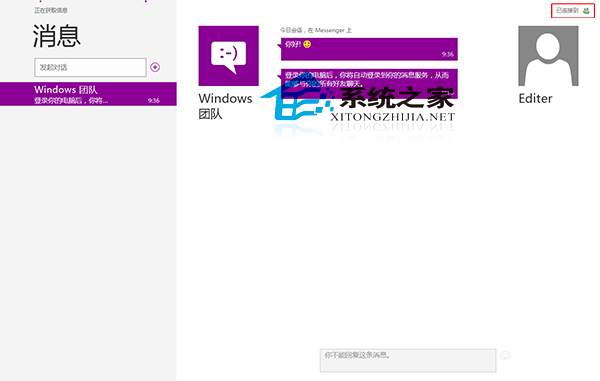
- 開啟「訊息」應用程式
- 點選右上角「已連線至 MSN」/帳戶名稱
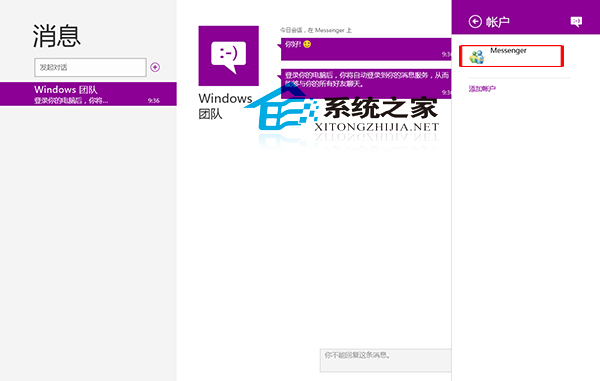
- 選擇「Messenger 帳戶」
- 在「要同步的內容」區域,勾選「電子郵件」
說明
- 需使用 Microsoft 帳戶登入 Windows 8
- 同步郵件為 Outlook.com/Hotmail/Live.com 信箱
- 不支援 Gmail、Yahoo 等第三方郵件服務 (需使用「郵件」應用程式)
- Windows 8.1/10 建議直接使用「郵件」與「行事曆」應用程式,功能更完整