Windows 8 內建「數學輸入面板」,支援手寫辨識數學公式並轉換為 MathML/LaTeX 格式。本文介紹兩種快速啟動方式。
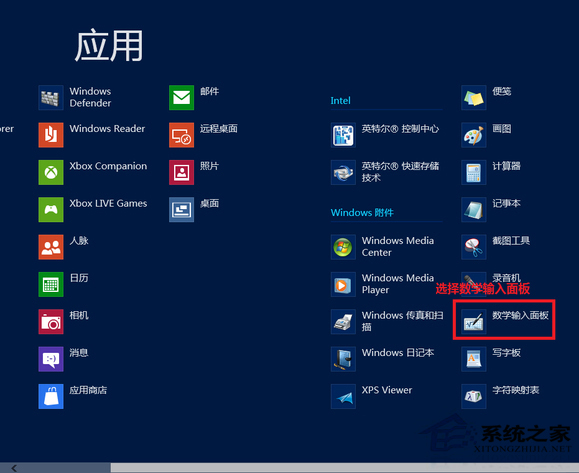
在開始畫面或魅力列搜尋「數學輸入面板」,點選筆尖寫在紙上的圖示即可啟動。
開啟後即可直接手寫數學公式,辨識結果可複製至 Word、OneNote 等支援應用程式。
Windows 8 設定媒體串流(DLNA)完整步驟
Win8 vs Win7 全方位對比:介面、雲端、觸控、效能、相容、電源管理、優缺點總結
Windows 8 關閉快速啟動功能:區別關機/休眠機制、釋放硬碟空間、犧牲開機速度
Win8 藍牙滑鼠連不上/易斷線?關閉藍牙省電功能徹底解決
Windows 8 關閉家庭群組服務教學
Windows 8 變更系統音效方案與自訂事件聲音
Win8 檔案總管功能區快速鍵操作指南:Alt 鍵喚鍵、數字字母直達功能
Windows 8 開啟高對比度顯示模式的三種方法