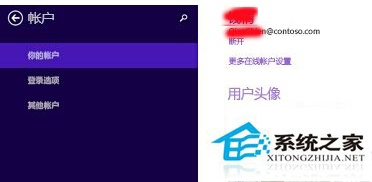
Microsoft 帳戶預設有密碼有效期限制,到期會強制要求變更。若不想頻繁更換密碼,可透過切換至本地帳戶再切回的方式重置有效期計算。
此操作會重新計算密碼有效期,通常可延長數個月才需再次變更。建議仍定期更換強密碼以確保帳戶安全。
聯想 Windows 8 筆電恢復 F1-F12 傳統功能鍵模式 (BIOS 設定)
UltraISO 製作 Win 8 開機隨身碟完整教學:從寫入映像到安裝細節
Windows 8 重新整理電腦與重設電腦:系統還原與重裝雙模式詳解
如何查看預裝 Windows 8/8.1 OEM 版產品金鑰(含 AIDA64、PowerShell 法)
Win8 CP 版 Win 鍵快速鍵詳細匯總:17 組新熱鍵 + Win7 相容熱鍵完整表
Windows 8/8.1 螢幕鍵盤(軟鍵盤)開啟方法圖解
Win8/8.1 找回隱藏的系統效能評分:PerfCenterCPL.dll + WinSAT 執行恢復
Windows 8.1 解除安裝後控制台殘留項目清除教學(登錄法)