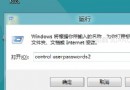
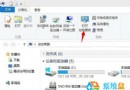
Windows 8.1 將「電腦」改名為「這台電腦」,許多習慣舊稱呼的使用者感到不適應。其實您可以像重新命名資料夾一樣,輕鬆將它改回「電腦」或任何您喜歡的名稱。
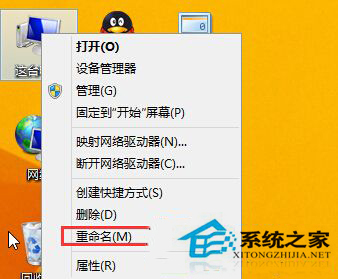
這項變更僅影響顯示名稱,不影響系統功能。您甚至可以命名為「我的筆電」、「辦公主機」等個人化名稱,方便在網路鄰居中識別。
Windows 8 開啟資料夾假死卡頓原因分析與解決:Windows Defender 即時掃描導致
Win8.1 無法關機?同 ID 80229:關閉快速啟動恢復完整關機
Win8 開啟內建相機應用程式:拍照、錄影、調整解析度完整教學
GHOST Win8 磁碟空間與檔案大小不符?同樣是 System Volume Information 惹的禍
Windows 8 IE10 登入工商銀行網銀失敗?調整 SSL/TLS 協定設定即可
Windows 8 設定自動同步網路時間:雙重方法確保時間精準
Win8 內建世界時鐘功能:輕鬆顯示多時區時間,最多新增 3 個時區
Win8 修改使用者名稱與使用者資料夾名稱方法:關聯 Microsoft 帳號、啟用 Administrator 修改註冊表