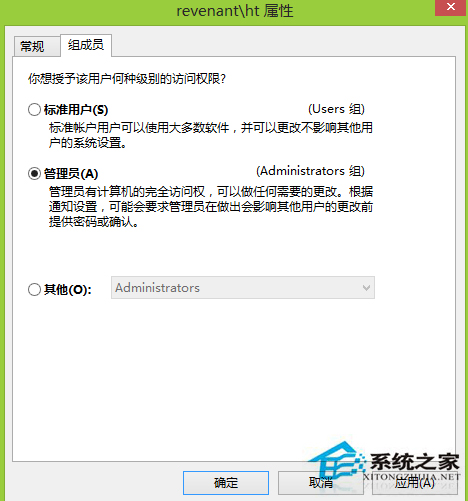
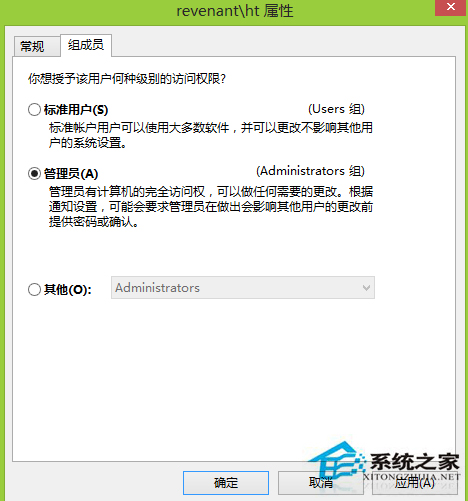
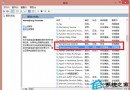
Windows 8 開啟 Word 檔案預設為唯讀模式無法編輯,常見原因有二:使用者帳戶權限不足、或舊版 .doc 格式 (Word 2003) 相容性問題。
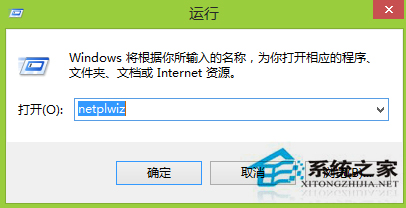
netplwiz
Word 2003 (.doc) 格式在新版 Office/Windows 相容性較差。建議另存新檔為 Word 文件 (.docx) 格式,或使用「相容模式」轉換後再編輯。
建議:先確認帳戶權限,若仍為唯讀則檢查檔案格式並轉換。
Win 8 設定開機引導選項啟用多核心與最大記憶體加速啟動
Win 8 將自訂資料夾加入程式庫「文件」集中管理
Win 8.1 開始畫面背景自訂:圖案、顏色、圖案顏色三層調整
Win8.1 無法切換到 Microsoft 帳戶?新增帳戶並登入應用商店解決
Win8 IE 瀏覽器停用分頁瀏覽:Internet 選項還原單視窗模式
Windows 8 檔案歷程記錄:自動備份與還原完整教學
Win8 设置图片密码:手势解锁触屏专属,前提须先设数字密码
Windows 8.1 升級後開始畫面顯示 Start#ZHS 解決方案