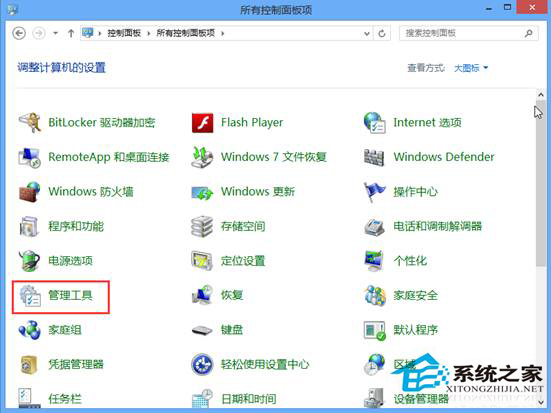
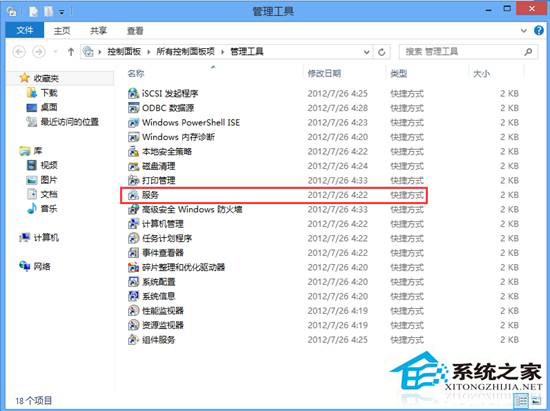
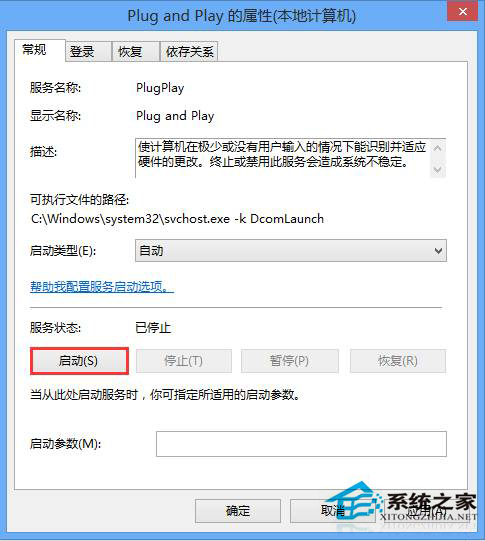
所有 USB 裝置(隨身碟、滑鼠、鍵盤)均無法辨識,多為 Plug and Play 服務異常。
Plug and Play
此服務負責硬體熱插拔偵測與驅動載入,重啟通常能恢復 USB 辨識功能。
Win8 關機四大法全解析:從傳統到隱藏技巧一網打盡
解決螢幕解析度過低無法執行 Windows 8 Metro 應用程式
Win8.1 玩《逆戰》提示「遊戲環境異常」?設定 Win7 相容性或卸載 KB3000483 修復
Win8 Modern UI 照片 App 提示「所有照片來源都被隱藏」?勾選顯示來源即可解決
Windows 8.1 语音聊天麦克风无声:设置“默认通信设备”解决 QQ/IM 静音
Win8 開啟滑鼠指向檔案/資料夾顯示提示資訊功能
Win8.1 Hiberfil.sys 佔用 C 槽巨大空間?關閉休眠功能 3 步驟刪除釋放空間
Win8 笔记本合盖直接关机?自定义“合上盖子”动作为睡眠/无操作