Windows XP Windows 7 Windows 2003 Windows Vista Windows 綜合教學 Linux 系統教學
Windows 10 Windows 8 Windows 2008 Windows NT Windows Server 電腦軟體教學

Win8.1 安裝 iTunes 失敗提示安裝套件有問題?修復並移除 Apple Software Update 後重裝

編輯:Win8 系統應用技巧

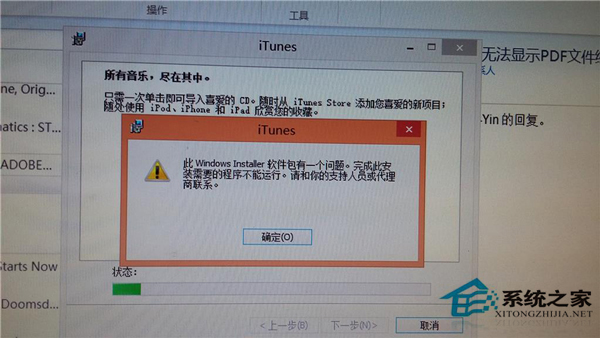
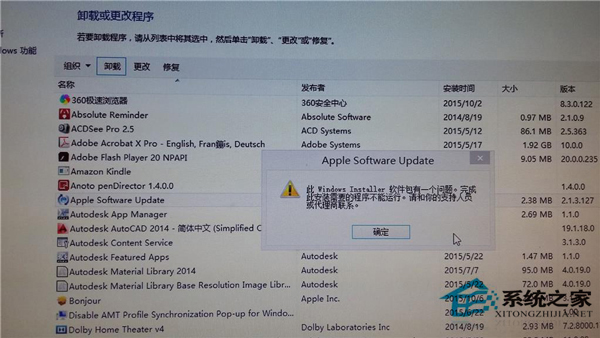
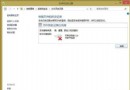
Win8.1 安裝 iTunes 彈出「安裝套件有問題,完成此安裝需要的程式無法執行」,且嘗試移除 Apple Software Update 也失敗。主因是 Apple Software Update 元件損毀,阻礙 iTunes 安裝程式呼叫其服務。
修復流程

  1. 修復 Apple Software Update:
    控制台 > 程式和功能 > 找到 Apple Software Update > 右鍵 > 修復 (或「變更」> 修復)。完成後再嘗試移除。
  2. 移除 Apple Software Update:
    修復完成後,正常解除安裝 Apple Software Update。
  3. 重新安裝 iTunes:
    下載最新版 iTunes 安裝包 (針對 Win8.1 64-bit),以管理員身分執行安裝。

原理

iTunes 安裝程式依賴 Apple Software Update 提供的 `AppleMobileDeviceService`、`Bonjour Service` 等核心服務。元件損毀時安裝程式無法註冊服務,報錯 1603/2203 等。修復 → 移除 → 重裝 iTunes (iTunes 安裝包內含完整 Apple Software Update) 可建立乾淨環境。

Copyright © Windows教程網 All Rights Reserved