自動播放功能簡介
插入 USB、光碟、記憶卡時自動彈出動作選單(開啟資料夾、播放音樂、匯入照片等)。可全域關閉或針對各媒體類型單獨設定。
設定步驟
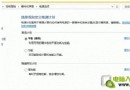
- 控制台 → 「自動播放」(小圖示檢視)。
- 全域關閉:取消勾選「對所有媒體和裝置使用自動播放」。
- 單獨設定:保留全域勾選,對各媒體類型(相機儲存、空白 CD、DVD 影片等)下拉選擇預設動作(如「不採取任何動作」、「開啟資料夾以檢視檔案」、「使用 Windows Media Player 播放」等)。
- 插入裝置時,右上角會彈出提示,點擊即可依預設動作執行。
建議對不可信來源的 USB 關閉自動播放,降低惡意程式自動執行風險。