手動安裝更新套件(.msu/.cab)時出現「此更新不適用您的電腦」,主因通常是更新套件與系統架構、語言、版本不符。常見情況包括:
- 下載 32 位元 (x86) 更新卻安裝在 64 位元 (x64) 系統,或相反。
- 更新適用於 Windows 8 卻嘗試安裝在 Windows 8.1(或反向)。
- 語言包不符(如英文版更新安裝在中文版系統)。
- 更新已被較新累積更新取代,系統判定不再需要。
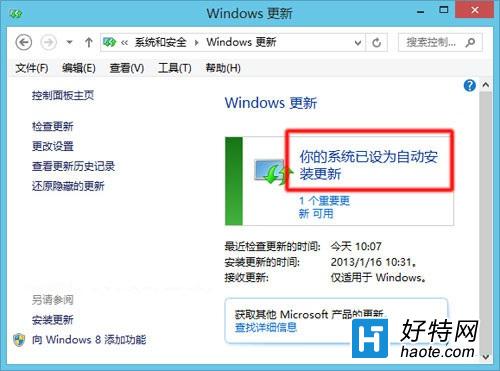
核心建議:優先使用 Windows Update 自動更新
微軟官方更新通道會自動偵測系統版本、架構、語言,僅下載適用套件,避免人為錯誤。第三方管家軟體(360、電腦管家等)雖方便,但其更新庫同步可能延遲,或誤推不適用補丁。
手動下載時的檢查清單
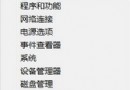
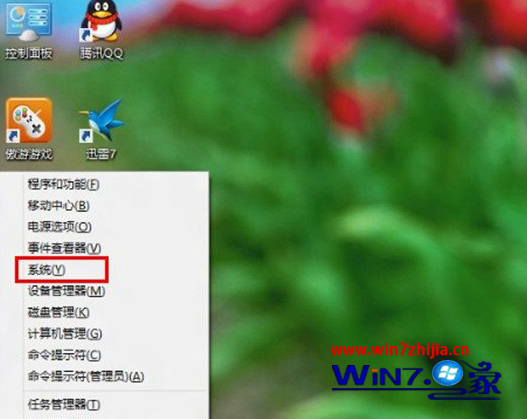
- 確認系統版本:Win + Pause → 查看「Windows 版本」與「系統類型」。
- 前往 Microsoft Update Catalog 依 KB 號搜尋。
- 下載前核對「產品」欄位包含 Windows 8.1 for x64-based Systems(或 x86/ARM 對應版本)。
- 語言欄位需含 Chinese (Traditional) 或 All Languages。
若必須手動安裝
以管理員身分開啟命令提示字元,執行:
wusa.exe "更新檔案完整路徑.msu" /quiet /norestart
若仍報錯,查閱 %Windows%\Logs\CBS\CBS.log 尋找 ERROR_SXS_ASSEMBLY_MISSING 等細節代碼進一步診斷。