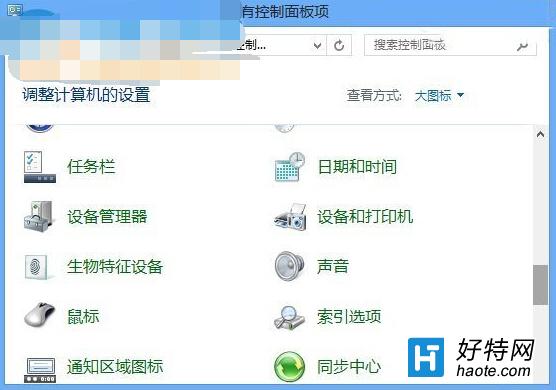
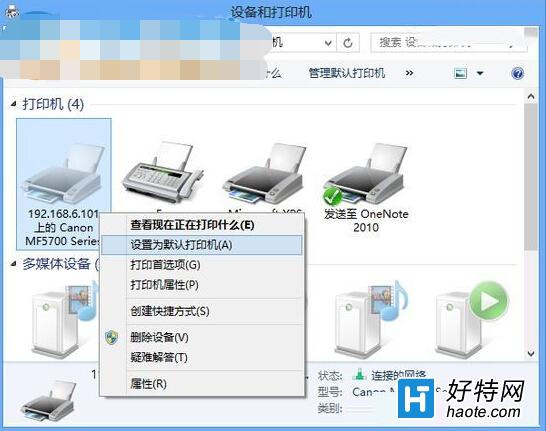
辦公室多台印表機、預設錯誤導致每次列印都要手動切換?Win8 可快速鎖定預設印表機:
一次設定,長期受益,免去重複操作。
解決 IdeaPad Y400/Y500 Win8 無線網路受限/無法上網:關閉省電、啟用 FIPS 相容、回滾驅動、優化 TCP 設定
Windows 8 新增網路印表機完整圖文教學
Windows 8 查看與解除安裝 Metro 應用:釋放系統磁碟空間
Win8.1 開始畫面出現亂碼?教你快速移除多餘字元
Windows 8 無線網路受限/連線受限完整解決方案:停用網卡省電功能
Win8 攝像頭無法使用?驅動精靈「攝像頭修復」功能 10 秒自動修好
Windows 8 通知管理與內建財經應用(必應財經)完整指南
Windows 8 設定外接顯示器擴充模式:解析度設定與 Charms 列快速切換