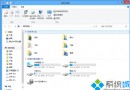
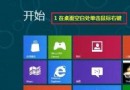
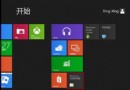
Win 8 Chrome 瀏覽器開啟「網際網路選項」:
Chrome 無獨立網路設定,實際調用系統 IE 設定介面。
Win8.1 玩大型遊戲卡頓/卡屏?顯卡驅動更新全流程
解決 Windows 8 無法登入系統:Microsoft 帳號密碼重置與密碼重設磁碟
Win8.1 藍屏 drive power state failure 解決法:關閉睡眠/休眠/快速啟動、更新驅動、升級 BIOS
Win8 停止共享檔案:檔案總管 → 共用索引標籤 → 停止共用
Win8 放大鏡開啟/縮小/關閉五大法
Win8 將 IE10 圖示放置桌面(非捷徑)登錄表修改法
Windows 8 快捷鍵與操作技巧 16 選完整圖解:關機、多工、搜尋、Charms、工作列、輸入法、開始畫面、MSE、資源管理器
Win10 兩步驟將資源回收筒釘選到工作列技巧