百度瀏覽器護眼模式啟用:
一鍵切換舒適閱讀環境,保護視力。
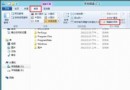
Win8 查看右鍵「傳送至」選單項目路徑:C:\Users\使用者名稱\AppData\Roaming\Microsoft\Windows\SendTo
Win8 內置管理員無法激活照片應用/圖片打開失敗解決方案
Win8「音樂」App 播放本地音樂檔案教學:不需加入音樂庫也能聽
Windows 8.1 開始按鈕該怎麼改?設計師視角的四大改良建議
Win8 線上影片無法播放?安裝 Flash Player 並啟用 IE 增益集
Windows 8 利用群組原則限制磁碟機存取:防止特定分區被開啟
Windows 8 查看顯示卡規格顯示記憶體大小兩種方法 (Windows 體驗指數 / 顯示器設定)
Windows 8 停用自動安裝驅動程式:修改裝置安裝設定阻止 Windows Update 驅動更新