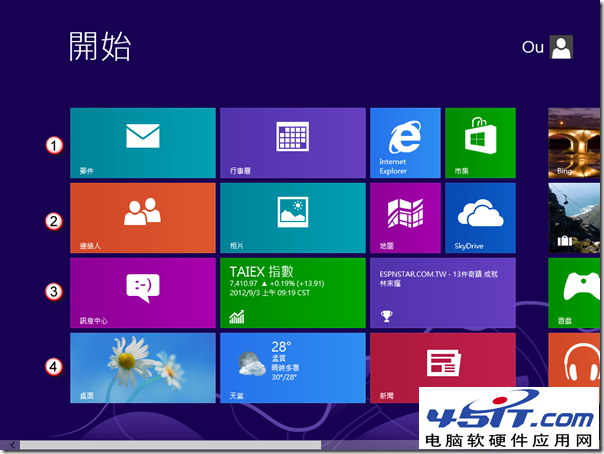
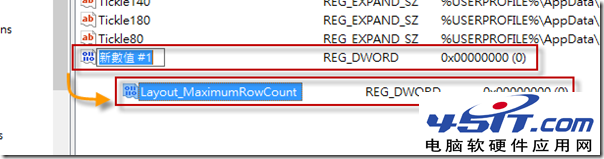
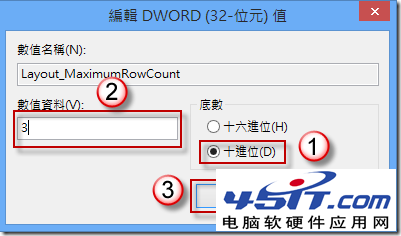
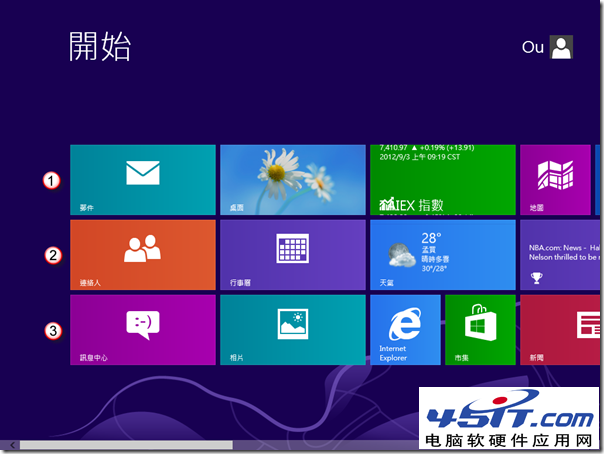
Windows 8 開始畫面磚預設隨解析度自動調整列數。若想固定最大列數 (如限制為 3 列),需透過登錄編輯新增 Layout_MaximumRowCount 值。
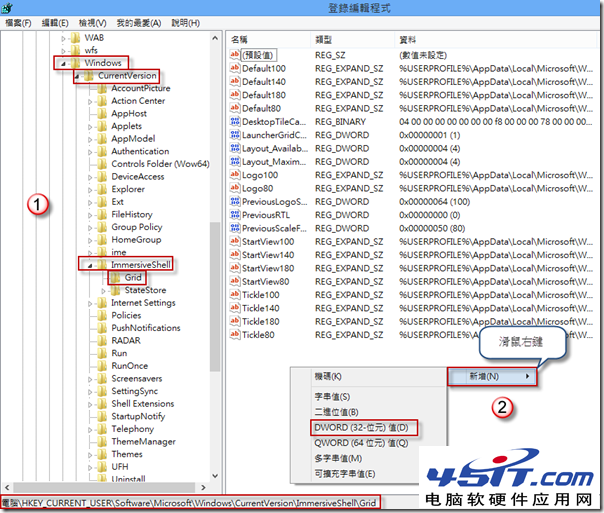
Layout_MaximumRowCount
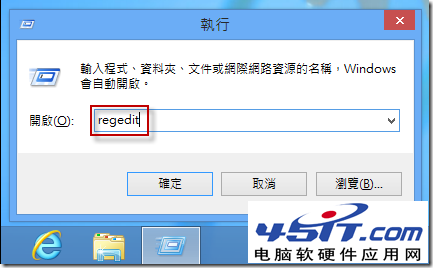
regedit
HKEY_CURRENT_USER\Software\Microsoft\Windows\CurrentVersion\ImmersiveShell\Grid
3
設定完成後,開始畫面磚將不超過指定列數,適合偏好固定版面配置的用戶。
Windows 8 藍畫面死機重新設計:簡潔錯誤資訊、悲傷表情符號與搜尋關鍵字
Windows 8 開始畫面找不到 IE10 圖示?設為預設瀏覽器並釘選即可恢復
老電腦升級 Windows 8 完全指南:硬體需求、效能實測、記憶體升級建議、相容性對策
Start8 讓 Windows 8.1 找回經典開始選單:中文破解版安裝與詳細設定圖文教學
Windows 8 新增輸入法與語言設定:電腦設定→語言偏好→新增語言/鍵盤版面/手寫辨識
Win 8/8.1 關閉快速啟動完整教學:透過電源選項徹底停用混合休眠
Win8.1 撥號上網出現 651 錯誤?微軟官方暫時解決方案與腳本自動重連教學
Windows 8.1 開機直接進入桌面兩大法:導覽設定或升級 Update