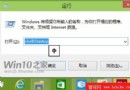
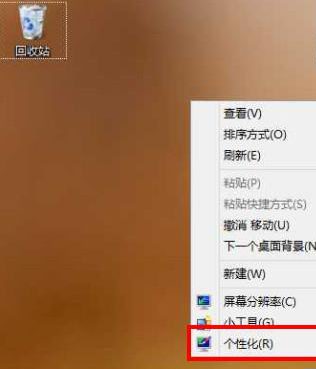
Windows 8 重灌後桌面預設僅顯示「回收站」,「電腦」「使用者檔案」「網路」「控制台」等系統圖示需手動勾選顯示。
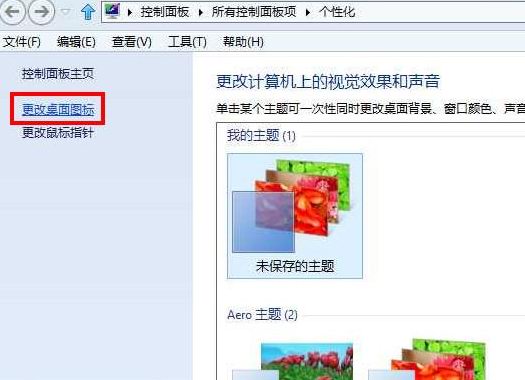
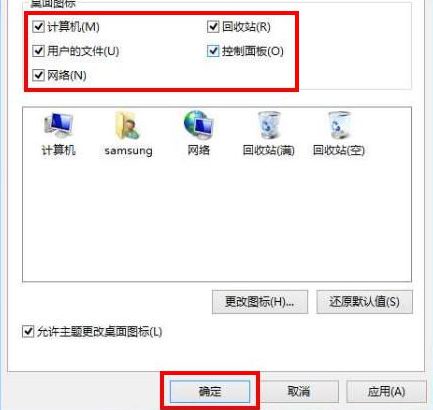
%SystemRoot%\System32\imageres.dll 或自備 .ico 檔。Win8 網路連線錯誤 118?CMD 三指令重置 DNS 與 TCP/IP 秒解
Windows 8 開機變慢?五大加速優化全攻略 (啟動項、引導、磁碟、垃圾、SSD)
Windows 8 22 大優勢深度解析:開機畫面、搜尋、多工、資源管理器、任務管理器、安全性、雲端整合
關閉 SuperFetch 徹底解決 Win8/Win8.1 磁碟 100% 占用問題
Windows 8 體驗連載 (四) 內建虛擬光碟機 (上):雙擊掛載 ISO、掛載速度極快、不支援自動執行、Ribbon 整合與檔案唯讀特性