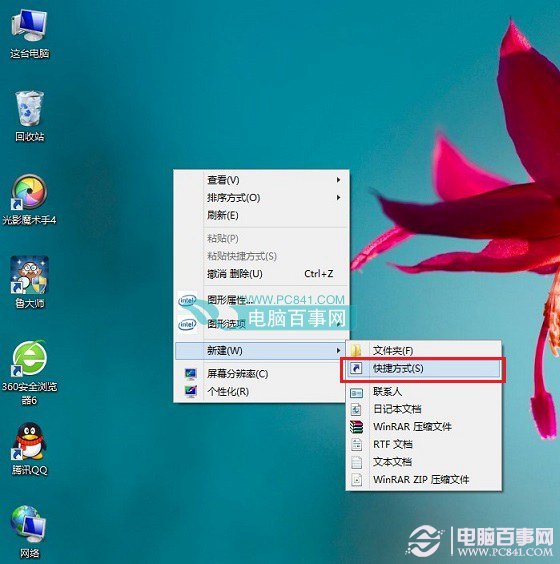
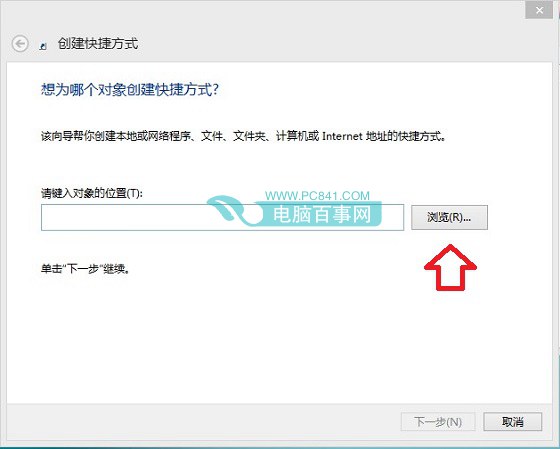
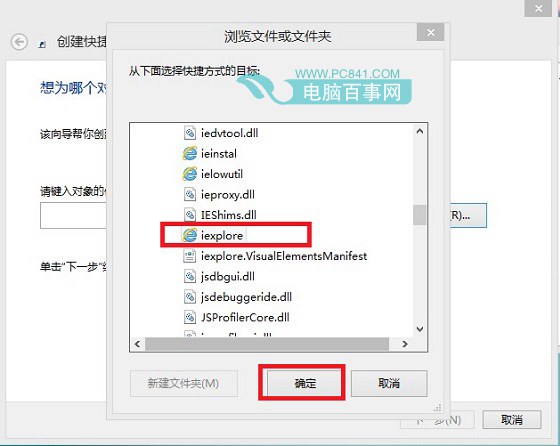
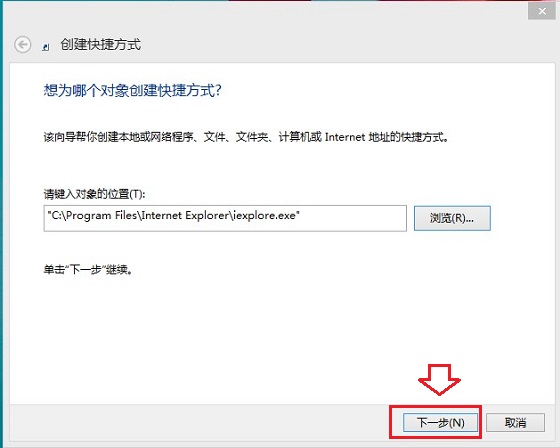
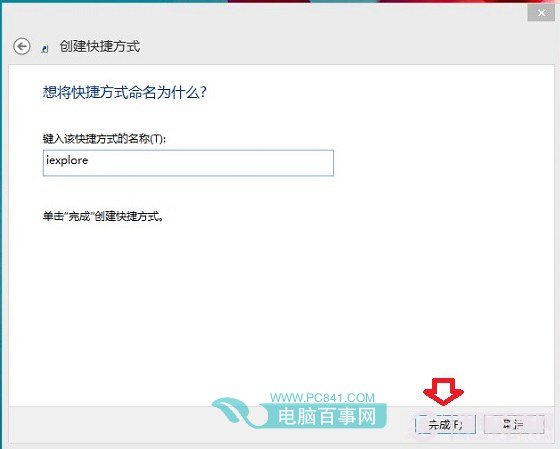
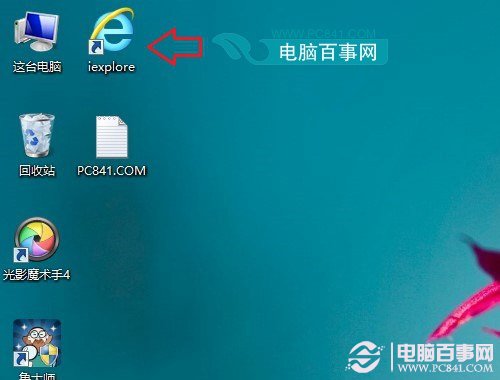
Win8.1 桌面預設僅有回收站,IE 圖示需自行建立捷徑。
iexplore.exe
同理可建立「這台電腦」、「網路」等系統圖示捷徑。
Windows 8 個人化鎖定畫面設定:圖片、通知、帳戶圖片、主題全攻略
Windows 8 體驗連載 (一) 探秘 Ribbon 介面 (上):從 Office 到檔案總管的演進、三大標籤頁與情境式工具
教程:禁用 Windows 8.1 觸控螢幕功能
三類 Windows 8 安裝方式利弊深度分析
Win 8/RT 檔案總管完整介面解析:10 大區塊功能與操作指南
升級 Win 8.1 後無法上網?Winsock 重置指令一鍵修復
Windows 8 消費者預覽版功能大閱兵:Metro 風格、相容性與移動戰略深度解析
Windows 8 個人化鎖定畫面設定:鎖定畫面通知、帳戶圖片、主題套用