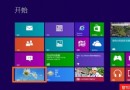
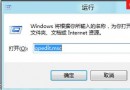
Win+U → 左側上方「Control Panel Home」。
桌面右鍵「Personalize」→ 左上角「Control Panel Home」。
建議點「Change desktop icons」勾選 Computer、Control Panel 等 5 項,直接在桌面放入控制台圖示。
左下角開始按鈕滑鼠懸停不顯示大字時間時右鍵 →「Open Windows Explorer」→ 開啟檔案總管 → 網址列最左邊小資料夾圖示點一下 → 下拉選單裡有 Control Panel。
論壇持續更新更多方法,幫助初級玩家。