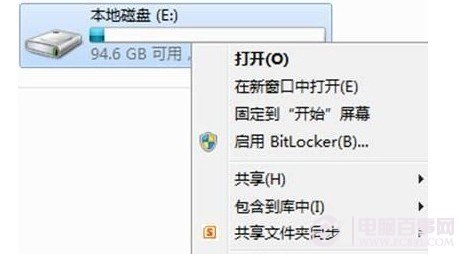
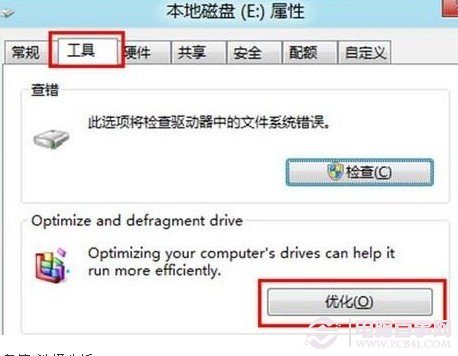
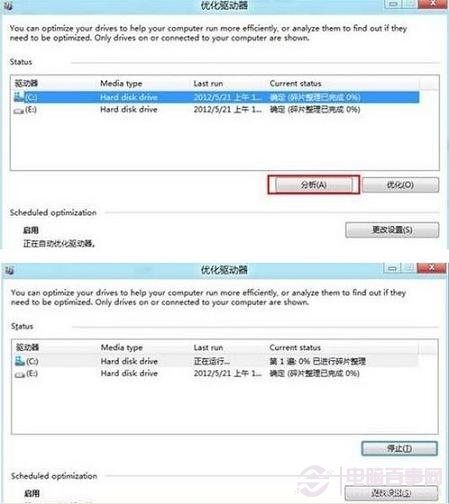
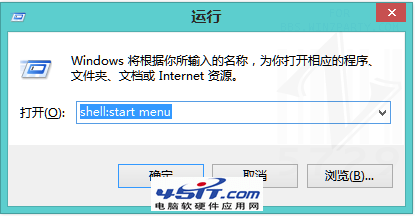
Windows 8 將磁碟碎片整理整合為「最佳化磁碟機」,教你從檔案總管進入工具,分析並重組碎片,建議使用一段時間後再執行。
磁碟空間較大時整理需較長時間,請耐心等待。Windows 7/XP 用戶請參考傳統磁碟碎片整理教學。
Windows 8 超詳細圖文評測 (完結篇 11/11):內建遊戲體驗與總結評論
Windows 8 hosts 檔案屏蔽失效?原來是 Windows Defender 在作祟
Win7/8 收不到 Win10 免費升級推播?完整排查與修復指南
Windows 8 更新重啟機制大改良:不再強制倒數、登入畫面提醒、三天緩衝期
Windows 8 修改圖片預設開啟方式:從 Metro 相片應用改回 Windows 相片檢視器
Windows 8 Beta 檔案管理新功能深度解析:衝突解決跳過相同檔、複製支援 SMB 多通道/暫停續傳、確認與中斷分離顯示、導覽窗格捲動修復、EXIF 方向自動識別
Microsoft 帳號是什麼?註冊與使用完整指南
Windows 8 登入 Microsoft 帳號提示「無法連線服務」?修改 DNS 即可解決