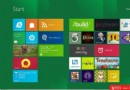
Modern 應用(天氣、郵件、行事曆等)啟動即閃退或回到開始畫面,主因:使用本機 Administrator 帳號登入,未綁定 Microsoft 帳號。
Modern 應用依賴 Microsoft 帳號進行授權、同步設定、存取雲端資料。虛擬機測試時用 Microsoft 帳號故正常,實體機用 Administrator 失效。未來雲服務深度整合下,網路連線將成基本需求。
若解析度 < 1024×768 或 UAC 關閉同樣會導致 Modern 應用無法啟動(參考 ID 31959)。
Windows 8 必定包含的八大核心功能
Windows 8 x86 簡體中文語言包安裝方法圖解
Windows 8 現代應用程式損壞無法移除?PowerShell 強制解除安裝
微軟帳戶官網上線:Windows 8 迎來大統一時代
Windows 8 檔案總管 Ribbon 介面必學技巧全攻略
Win8 藍牙圖示消失?四大排查方向:驅動、飛行模式、服務、BIOS
Windows 8 本機帳戶與 Microsoft 帳戶切換完整教學:含建立新帳戶與登出流程
Windows 8 更新重啟機制大改良:不再強制倒數、登入畫面提醒、三天緩衝期