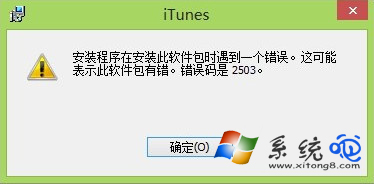
Win8 安裝 iTunes 出現錯誤 2503 (安裝程式存取被拒),主因:安裝包架構不符 (x86/x64)、殘留 Apple 元件衝突、權限不足。依序處理即可解決。
解決流程
- 確認系統架構:右鍵「這台電腦」→「屬性」→ 查看「系統類型」(32 位元/64 位元)。
- 下載對應版本:至 Apple 官網下載與系統架構匹配的 iTunes 安裝包。
- 徹底移除舊版:控制台 → 程式和功能 → 依序解除安裝:
iTunes → Apple Software Update → Apple Mobile Device Support → Bonjour → Apple Application Support (32/64 位元皆移除)。
- 建議操作:
• 安裝路徑保持預設 (C:\Program Files\iTunes) 勿更改。
• 以系統管理員身分執行安裝包 (右鍵 → 以系統管理員身分執行)。
• 若仍失敗,進入安全模式 (開機 F8) 執行安裝。
常見殘留清理
- 刪除資料夾:
C:\Program Files\Common Files\Apple\、C:\Program Files (x86)\Common Files\Apple\
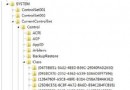
- 登錄檔清理:搜尋
Apple 關鍵字刪除相關項目 (謹慎操作)。
- 使用 Microsoft Program Install and Uninstall Troubleshooter 強制移除頑固項目。