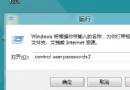
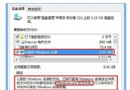
Windows 8 電話啟動需離線環境,系統依金鑰與硬體資訊產生 9 組 63 位數 Installation ID,致電微軟取得 8 組 48 位數 Confirmation ID 填入即可永久啟動。本文詳細說明流程、金鑰類型差異、常見誤區與注意事項。
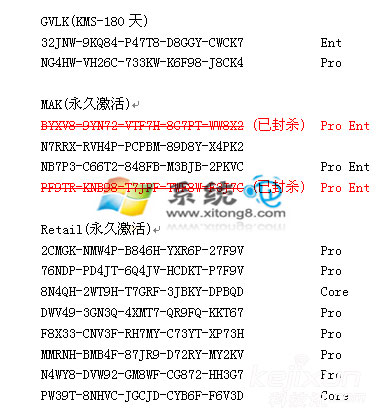
Core=核心版、Pro=專業版、Ent=企業版。金鑰具時效性,不保證長期有效。
Windows 8.1 快速切換使用者帳戶:免登出、免重開機
Windows 8.1 Wi-Fi 連線受限/無法連線解決法:啟用 FIPS 相容性修正無線掉線
Windows 8 開啟控制台四大法:任務列右鍵、搜尋、Win+R 執行、開始畫面所有應用
Windows 8 使用者帳號體系深度解析:Microsoft ID、本機管理員、電腦名稱四大身份釐清
Windows 8 開機僅需 7 秒:UEFI + SSD 預覽未來啟動體驗
Windows 8.2 (Threshold) 傳聞:完整開始選單回歸、Modern App 可窗口化執行
Windows 8 設定自動登入並直接進入開始畫面:本機用戶和群組 + control userpasswords2 兩階段設定