Win8.1 建立 VPN 連線時常遇到錯誤,關鍵在於協定選擇必須設為 PPTP 並啟用特定驗證協定。本文提供從建立連線到協定微調的完整圖文教學。
前置準備
- VPN 帳號資訊(IP、使用者名稱、密碼)
- Win8.1 32/64 位元環境
建立與設定步驟
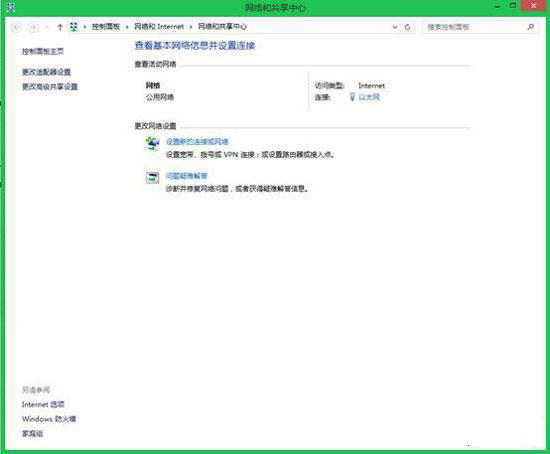
- 控制台 → 網路和網際網路 → 網路和共用中心 → 「設定新的連線或網路」。
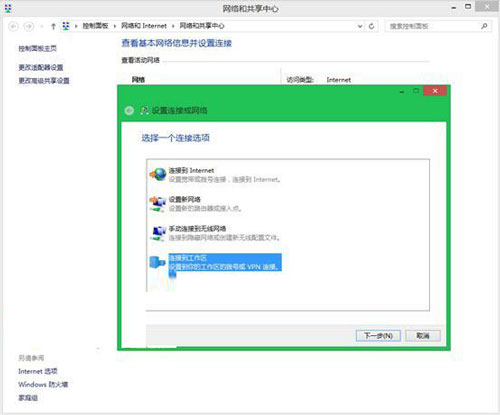
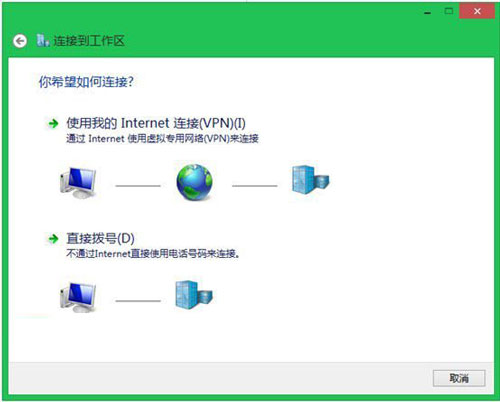
- 選擇「連線到工作場所」→「使用我的網際網路連線 (VPN)」。
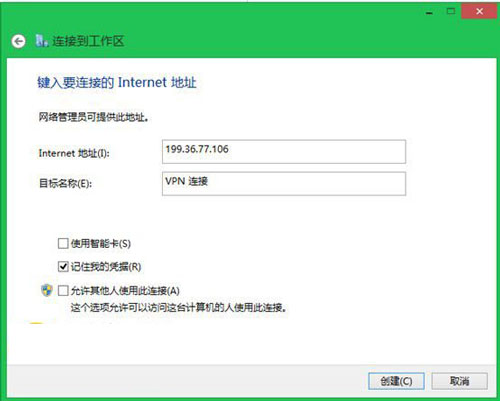
- 輸入 VPN 伺服器 IP 建立連線。
- 等待建立完成。
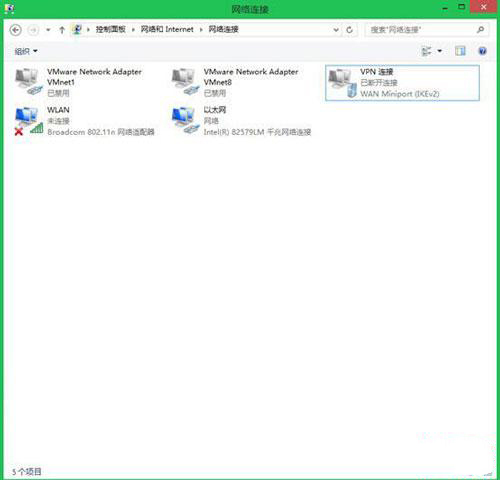
- 右鍵該 VPN 連線 →「內容」→「安全性」索引標籤。
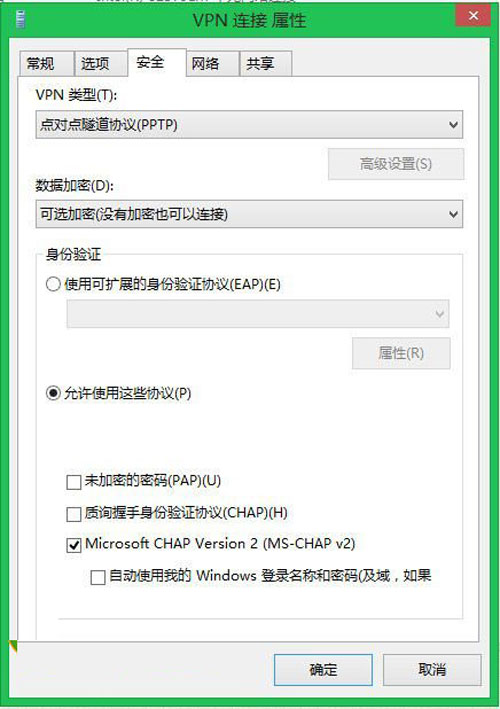
- VPN 類型選擇「點對點通道協定 (PPTP)」,勾選「允許使用這些協定」→「確定」。
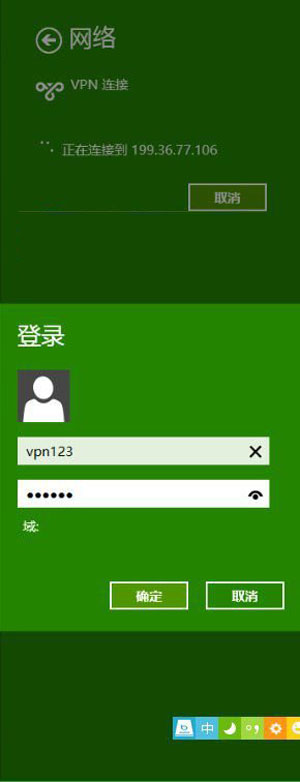
- 輸入帳號密碼連線,成功建立 VPN 隧道。
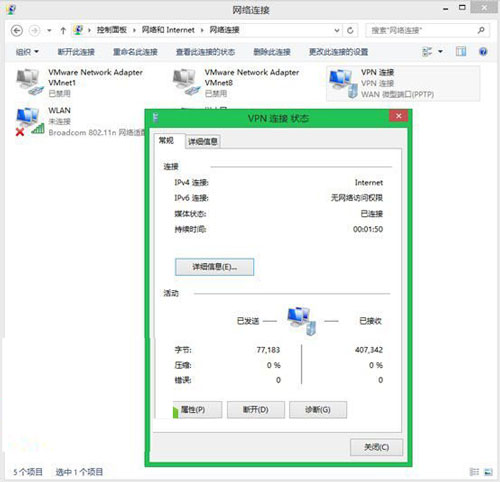
正確設定協定是 VPN 連線穩定的關鍵,照著步驟操作即可排除常見錯誤。