Win8 線上啟用 .NET Framework 3.5 常因無法連線 Microsoft 更新伺服器報錯 0x800F0906。解決方法:從 Win8 安裝媒體提取 sources\sxs 資料夾,使用 DISM 指令指定本機來源離線安裝,無需網路即可完成。
sources\sxs 資料夾至本機(如 D:\sources\sxs)。dism.exe /online /enable-feature /featurename:NetFX3 /Source:D:\sources\sxs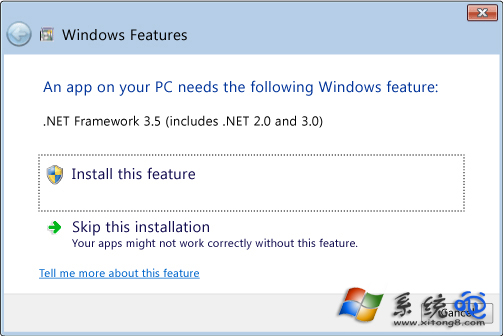
關鍵點:/Source 參數指向含 microsoft-windows-netfx3-ondemand-package.cab 的 sxs 資料夾,必須與系統版本完全匹配(Win8 用 Win8 安裝媒體,Win8.1 用 Win8.1 媒體,不可混用)。若提取路徑含空格,請用雙引號括住:/Source:"D:\My Sources\sxs"。安裝完成後可在「開啟或關閉 Windows 功能」中看到 .NET Framework 3.5 已勾選啟用。