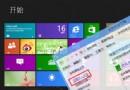
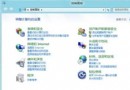
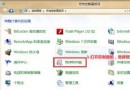
Win8 修改 IP 位址操作步驟(含截圖 5 張):
介面與 Win7 類似,僅「區域連線」更名為「乙太網路」。附完整截圖指引。
Microsoft Surface (RT/Pro) 使用心得:介於平板與筆電間、Office 完美、應用生態待建設、硬體接口優勢明顯
微軟展示 Windows 8 在所有主流 ARM 平台運行:Tegra 3、Snapdragon S4、OMAP 5
Win8 睡眠/休眠喚醒需輸入密碼?兩種設定路徑圖文教學
Win8 家庭群組檔案共享圖文教學:沿用 Win7 架構,局域網輕鬆共享文件/印表機/媒體串流
Windows 8 手寫輸入面板大小寫切換技巧:一鍵搞定 S/O 等易混淆字母
Win8 開始畫面「桌面」磁貼不見了?兩招找回或重建捷徑
Win8 快速清除搜尋紀錄:Charms 列與檔案總管雙管道
Windows 8 相容性深度解析:版本號陷阱、無頭伺服器、.NET 4.5、4K 磁區、未簽名核心驅動五大挑戰